
Preview and backfill existing orders
PremiumApply a saved Premium rule to a bounded backlog with dates, preview, progress, cancellation, and resume.
Reviewed 2026-08-05
Clearly distinct execution state with progress, cancellation/resume controls, pagination, and representative results.
Premium backfill applies one saved rule to orders that already exist. It is separate from normal triggering and always starts with a preview.
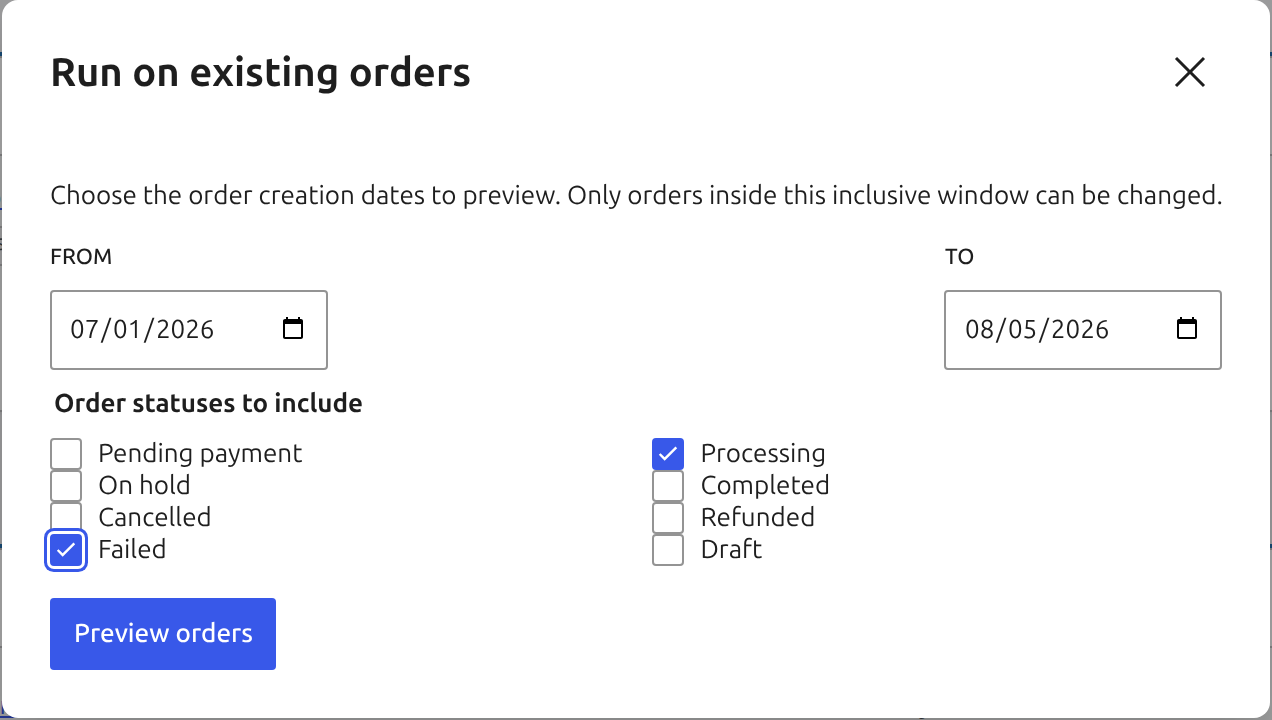
Define a bounded selection
Choose the saved rule, a required from and to creation date, and one or more order statuses. Set the result limit used for immediate review. The dates and statuses make the intended population explicit and prevent an accidental unbounded store-wide run.
Preview before execution
Preview evaluates trigger status and rule conditions without running actions. Its screen and wording are intentionally distinct from execution. Page through the sample and confirm that both matches and exclusions make sense.
Large selections complete a full background preview before Apply becomes available. Do not treat an immediate sample as proof that every matching order has been counted.
Run and monitor the job
Execution continues in asynchronous batches after leaving the page. The batch size defaults to 50 and cannot exceed 500 orders. Progress and a paginated result log remain available, with at most 1,000 per-order results retained.
Cancel stops future batches but does not reverse completed actions. Resume continues an interrupted or cancelled job from its stored progress. Review the Audit trail for action-level evidence and use guarded undo only where it is offered.
If a job stops progressing, inspect Action Scheduler, reopen the saved rule’s backfill panel, and resume it from stored progress.