
Automation settings
Configure the Free engine's delays, activity notes, delivery logging, privacy, and uninstall behaviour.
Reviewed 2026-08-05
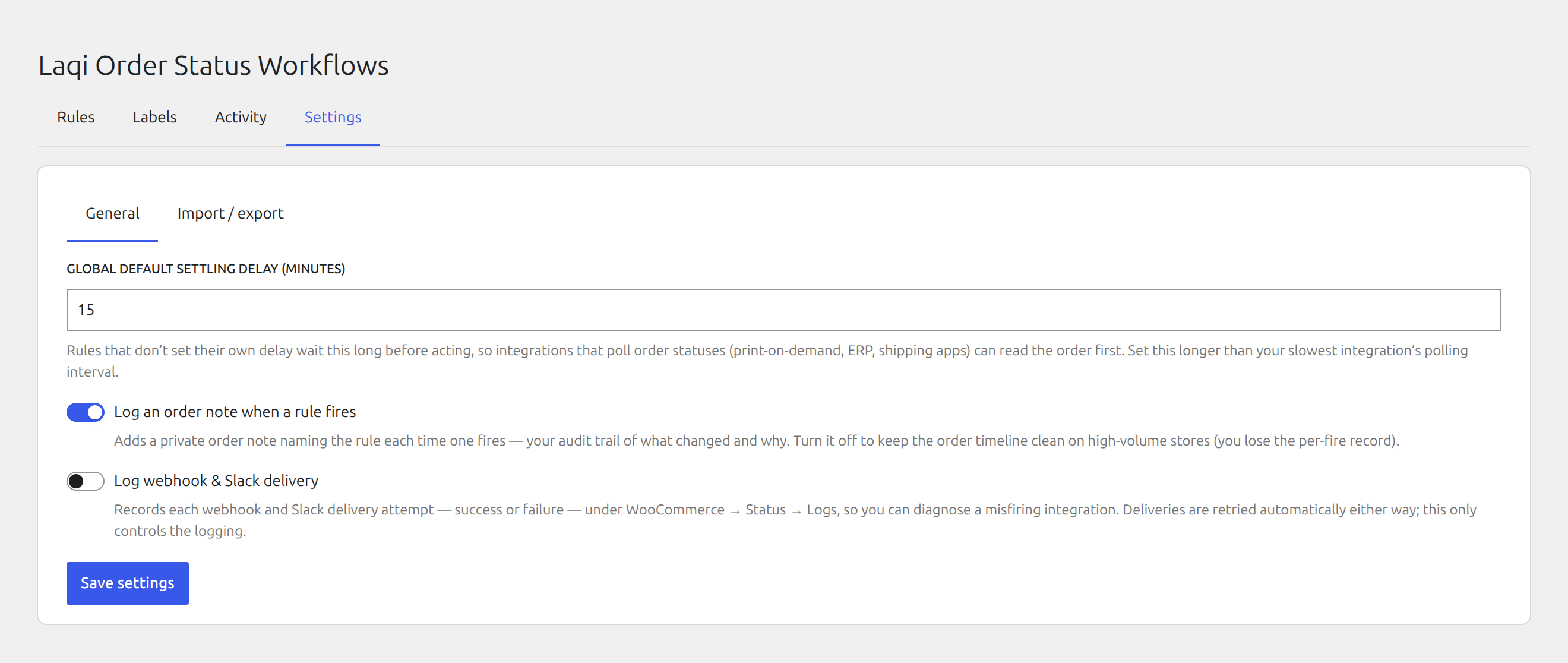
Order-note logging
Order notes provide a timeline record that names the rule responsible for an automated action. Leave this enabled while introducing automation. High-volume stores can disable the notes later and use the Activity screen instead.
Default settling delay
The default delay is 15 minutes. Set it longer than the slowest integration that must observe an order before automation changes it. A rule can inherit the default, override it, or run immediately.
Delivery logging
Enable delivery logging while troubleshooting webhook, Slack, or Teams actions. Attempts are written to WooCommerce → Status → Logs. Disable extra logging when the problem is resolved unless your operating process needs it.
Privacy and uninstall behavior
The activity log records the rule, order, action, and time. WordPress personal-data export and erasure tools include or remove activity entries associated with a customer’s orders.
Email, webhook, Slack, and Teams actions send the order fields used in their configured messages to the chosen destination. Add those destinations to the store’s privacy policy where appropriate.
Deleting the plugin removes its rules, settings, activity log, scheduled jobs, and _osa_ bookkeeping metadata. It does not delete or reverse changes already made to WooCommerce orders.