
Time-based and scheduled triggers
PremiumConfigure Premium time-in-status rules, business-day calendars, and bounded weekly sweeps.
Reviewed 2026-08-05
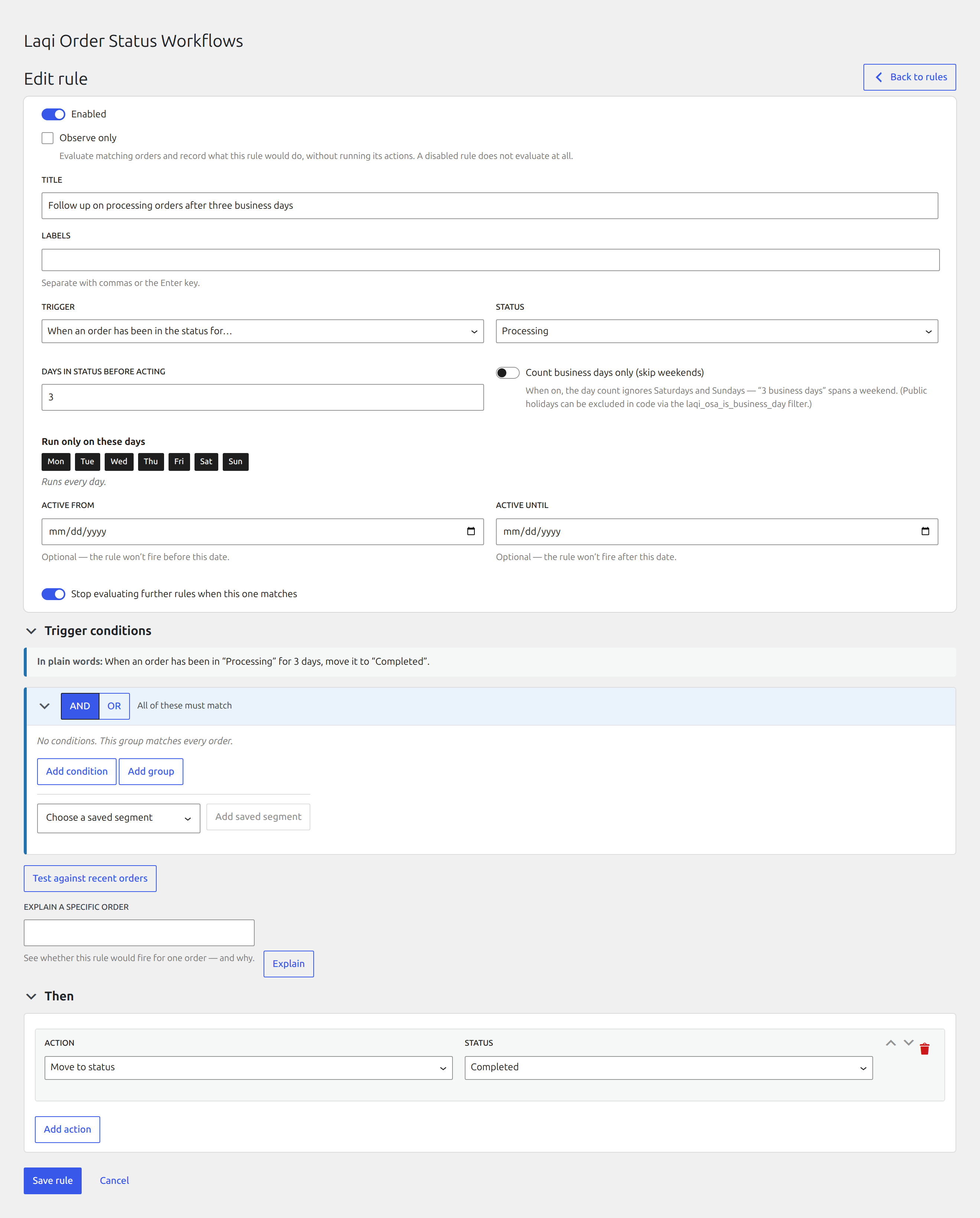
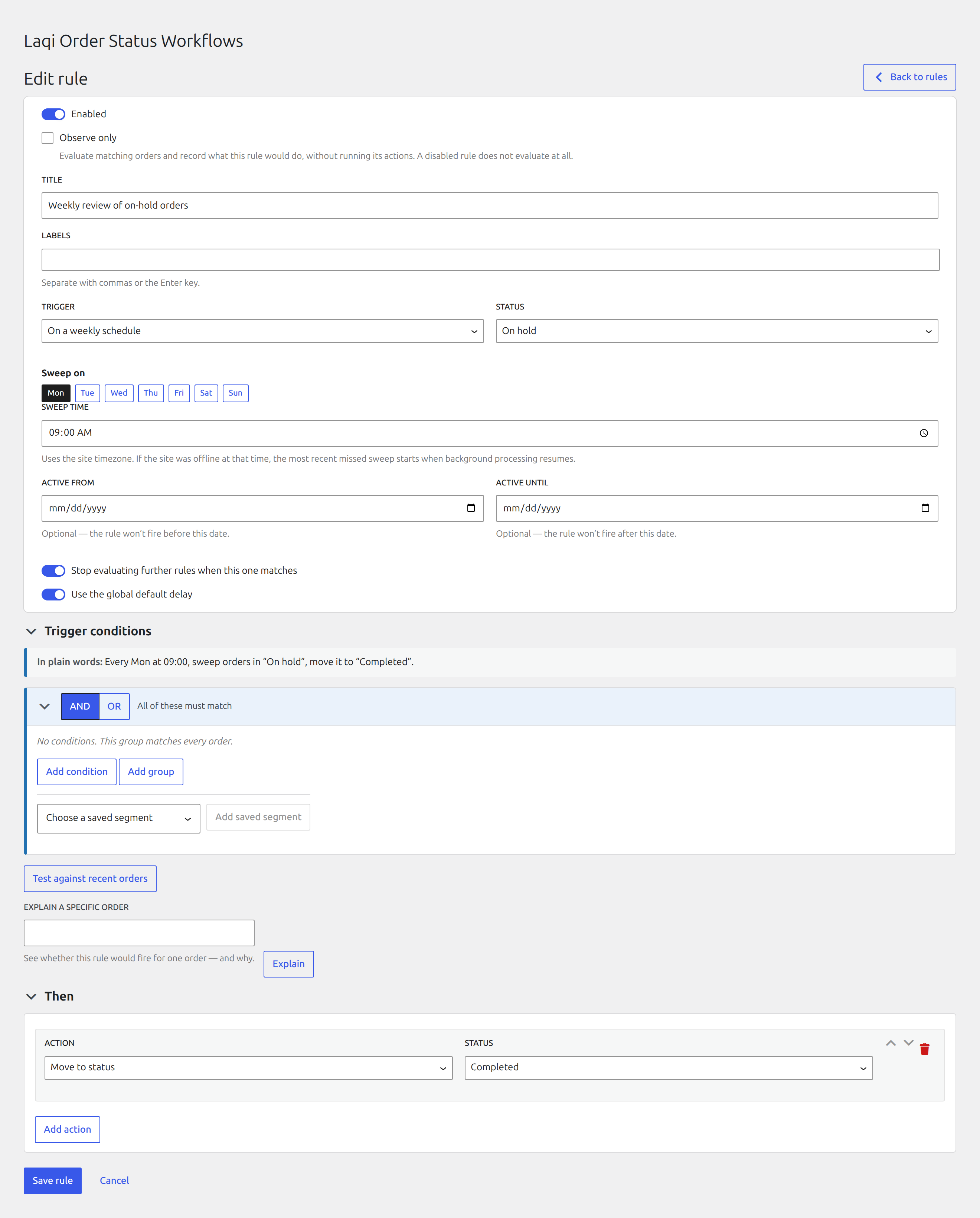
Run after an order remains in a status for a selected number of calendar or business days.
Time in status
A time-based rule finds orders that have remained in a status for a selected number of days. Use it to follow up on stuck orders, cancel abandoned payments, or escalate ageing fulfilment work.
The recurring scan runs hourly by default. Choose Run scan now on the Activity screen, or run wp osa scan from WP-CLI, when you need to start the real scan immediately. The command asks for confirmation unless you pass --yes.
Calendar and business days
Time-based rules can count calendar days or business days. Business days skip Saturday and Sunday. Add YYYY-MM-DD dates under Settings → Public holidays when those dates should be skipped too.
Weekly scheduled sweeps
A sweep evaluates matching orders currently in the selected status on chosen weekdays and at a site-local time. Processing uses bounded asynchronous batches. If background processing was unavailable, the scheduler catches up only the most recent missed slot rather than replaying an unlimited history.
Use a sweep for recurring population checks. Use Preview and backfill for a deliberately selected historical date range with a required preview.
Troubleshoot scheduled work
For time-in-status rules, confirm WP-Cron and Action Scheduler are running, then use Run scan now from Activity. For scheduled sweeps, confirm the selected site-local weekday and time. A missed schedule catches up only the most recent slot.