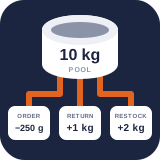
Create inventory pools and units
Create authoritative stock balances, choose compatible unit families, and define exact merchant units.
Reviewed 2026-08-16
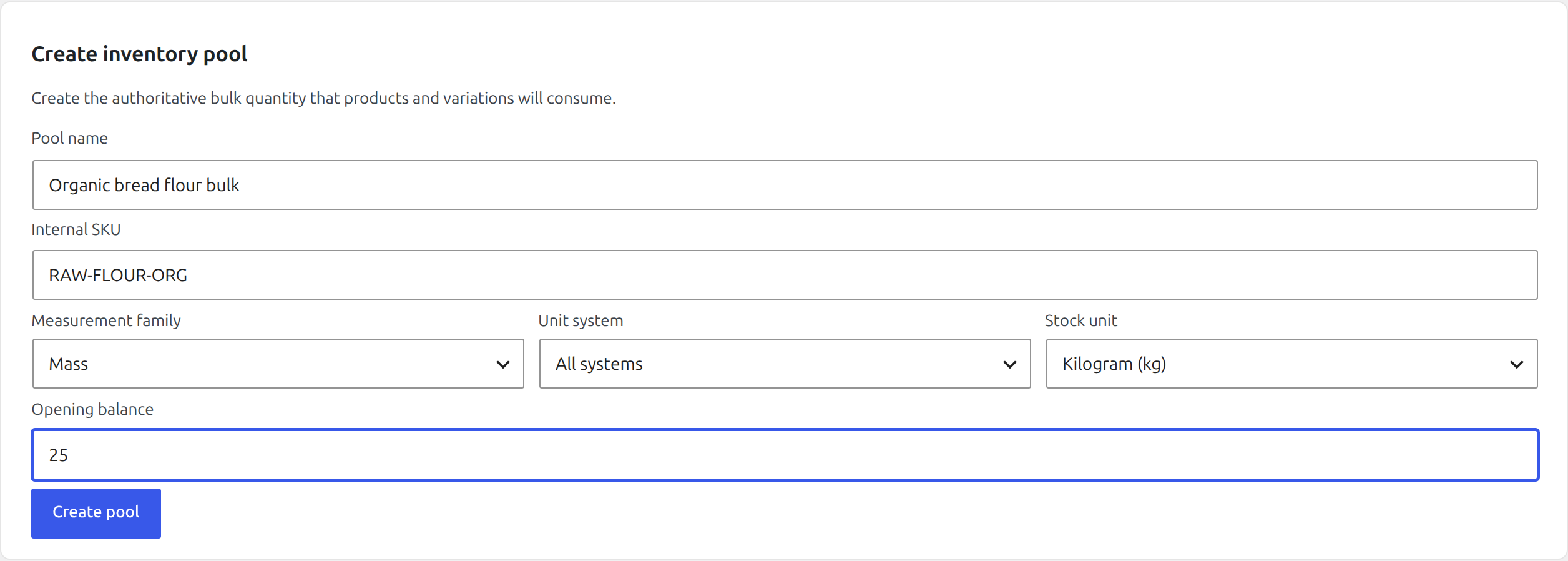

Name the physical supply, choose its counting unit, and enter the verified opening balance.
An inventory pool is the physical quantity that all linked products consume. Create the pool before linking sellable items.
Create a pool
Find it in WordPress: Products → Unit Stock → Setup → Pools & units
- Open Products → Unit Stock → Setup.
- Under Create inventory pool, enter a clear pool name and optional internal SKU.
- Choose the unit in which staff normally count or receive the stock.
- Enter the verified opening balance and choose Create pool.
The selected unit determines the pool family. Units from different families cannot be mixed: mass cannot be converted to volume without density, and neither can be converted to count.
Understand exact storage
The displayed quantity may contain decimals, but the authoritative value is stored as a normalized integer in the family’s base unit. This avoids cumulative floating-point drift when small packages are sold repeatedly.
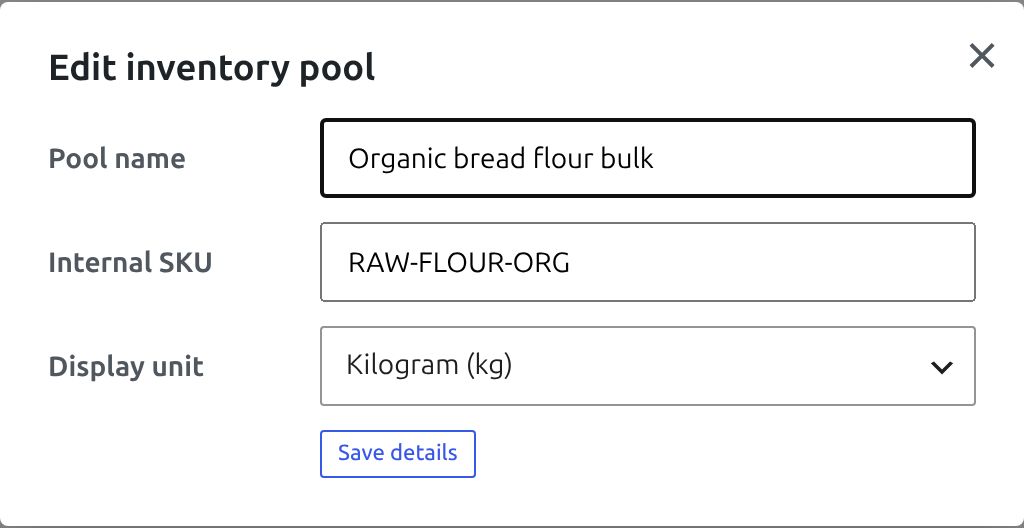
Changing a pool’s display unit changes its presentation, not the underlying physical quantity. On the Stock tab, edit the pool name, internal SKU, or display unit and choose Save details. Only units from the same family are offered.
Create a custom unit
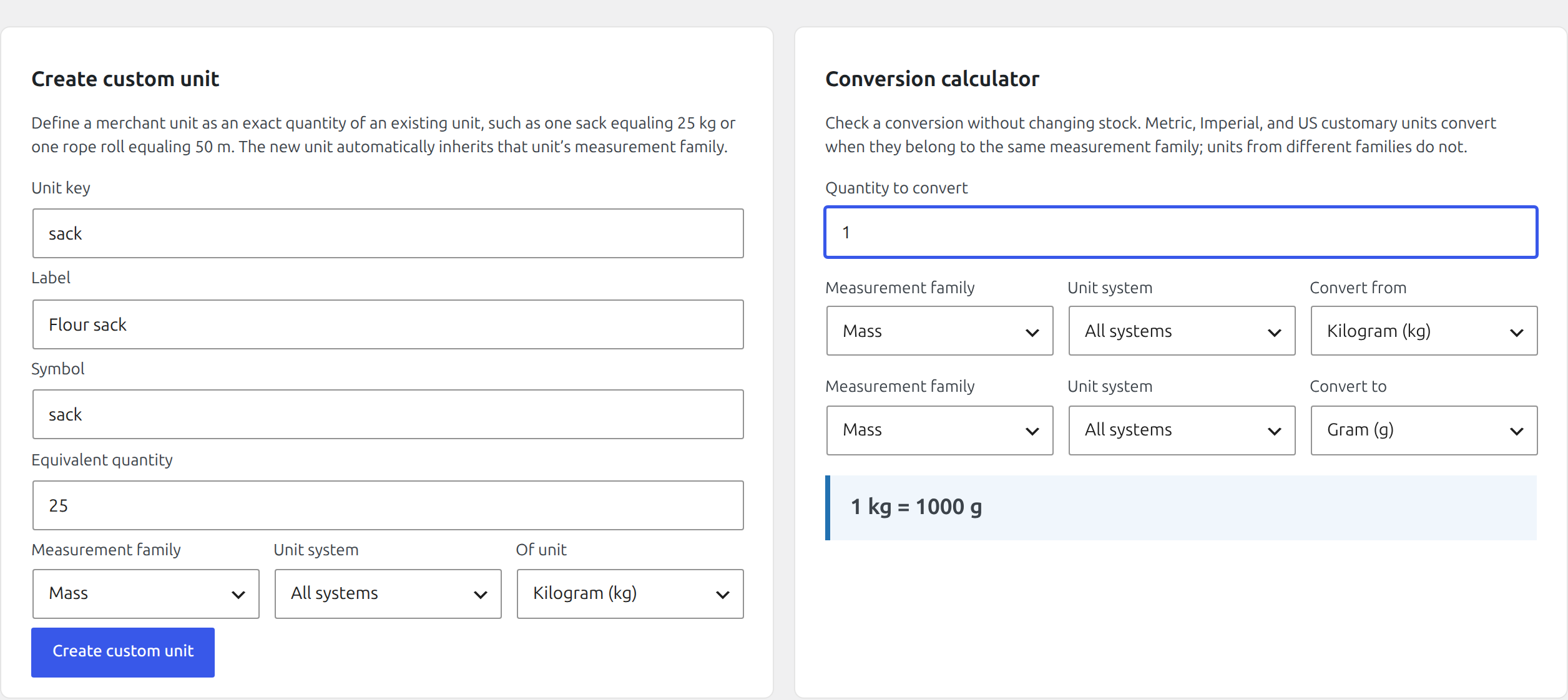
Use a custom unit when staff work with an exact store-specific measure such as a 25 kg sack, 200 l drum, or tray of 24 units.
- In Setup → Create custom unit, enter a stable lowercase key, readable label, and short symbol.
- Enter the exact equivalent quantity.
- Choose the existing reference unit.
- Create the unit, then use it in compatible pool and mapping forms.
A custom unit inherits the family of its reference unit. Custom units may themselves be used as the reference for another definition.
Retire a custom unit
Retiring removes an unused custom unit from new selections without rewriting historical quantities. A unit cannot be retired while an inventory pool or another active custom unit depends on it. Change those dependencies first, then retry.
Opening-balance checklist
- Count the real physical stock immediately before creating or migrating the pool.
- Use one unit family consistently.
- Avoid placing sellable and non-sellable quantities in the same opening balance unless that is intentional.
- Record later corrections through Stock so they appear in Activity; do not recreate the pool to correct a count.