Free and Premium editions
Compare the complete shared-stock engine in Free with the additional operational workflows supplied by Pro.
Reviewed 2026-08-27
Free edition
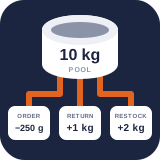
Free solves the complete core problem: several products or variations can consume exact quantities from one authoritative inventory pool. It includes:
- Unlimited inventory pools and product or variation mappings.
- Mass, volume, and count families; metric, US customary, imperial, and exact custom units.
- Exact normalized integer arithmetic rather than floating-point stock calculations.
- Explicit existing-stock migration choices for every new mapping.
- Searchable Stock, Setup, and Activity tabs.
- Set, add, and subtract adjustments with actor and reason records.
- Combined pooled-demand validation for classic and block-based Cart and Checkout.
- Atomic, idempotent order reductions, refunds, restorations, and admin-order reconciliation.
- Stored order-item snapshots so mapping changes do not rewrite older orders.
- WooCommerce stock-status synchronization, HPOS support, privacy tools, and authenticated REST endpoints.
These capabilities are not time-limited or disabled behind a licence check.
Premium edition
Pro is a separate add-on which requires Free. It leaves Free in charge of the authoritative balance and adds:
- Reusable adjustment reasons, sensitive-change approval rules, typed losses, anomaly findings, and CSV export of the movements Activity is filtered to.
- Editable suppliers, supplier packs, incoming deliveries, receipts, batches, lots, expiry policy, stocktakes, transfers, quarantine, write-off, recall review, and optional customer recall email.
- Supply holds, protected safety stock, and a complete available-to-sell projection.
- Warning and critical low-stock alerts through email or signed HTTPS webhooks, including reminders and quiet hours.
- Demand forecasts, supplier-pack reorder suggestions, controlled purchase-order drafts and signed supplier transmission, scheduled CSV reports, and non-mutating scenario planning.
- Multi-pool product recipes and read-only material cost/margin reporting.
- Mobile SKU/barcode lookup and mobile stock counts.
- Operations CSV exchange and authenticated external movement intake.
- Additional adapters for Product Bundles, Composite Products, and subscription renewals.
If your licence expires
Pro licences include a short grace period, and what happens after it is deliberately not all-or-nothing. Pro runs your inventory, and an inventory engine going dark on a renewal date is how a live store oversells.
Anything that keeps stock accurate keeps running. Batch allocation and FEFO, expired-batch quarantine, transfers, supply holds, protected safety stock, reservations, receiving, batch operations, the movement ledger, anomaly findings, adjustment approvals, and authenticated external movement intake. That last one matters more than it looks: a WMS or ERP goes on posting movements whether or not a licence is current, and refusing them is what would let your recorded stock drift away from what is physically on the shelf.
What stops is what costs you information rather than accuracy. Low-stock and batch-expiry alerts, scheduled CSV reports, purchase-order transmission to suppliers, operations CSV exchange, demand forecasts, reorder suggestions, scenario planning, recipe cost and margin reporting, and mobile stocktaking.
Nothing is deleted, and renewing restores everything with no repair step.
Which edition do you need?
Use Free when the operational requirement is exact shared availability and safe WooCommerce stock movement. Add Pro when the same inventory must also be received, held, counted, investigated, forecast, replenished, reported, or integrated with another system.
Installing Pro adds sections to Products → Unit Stock. It does not migrate or duplicate the Free inventory tables. If Pro is deactivated, the Free stock engine and its balances continue to operate; Pro workflows are unavailable until the add-on is active again.
Deleting is not the same as deactivating. Deleting Pro removes Pro-owned operational settings and tables while retaining Free pools, mappings, balances, and movements. Deleting Free while Pro remains installed preserves those shared tables, but Pro cannot run without Free. Deleting Free when no sibling edition remains removes the shared inventory tables. Back up the database before deleting either edition.