Run a scan
Start a scan, watch its progress, and understand what it does and does not look at.
Reviewed 2026-09-11
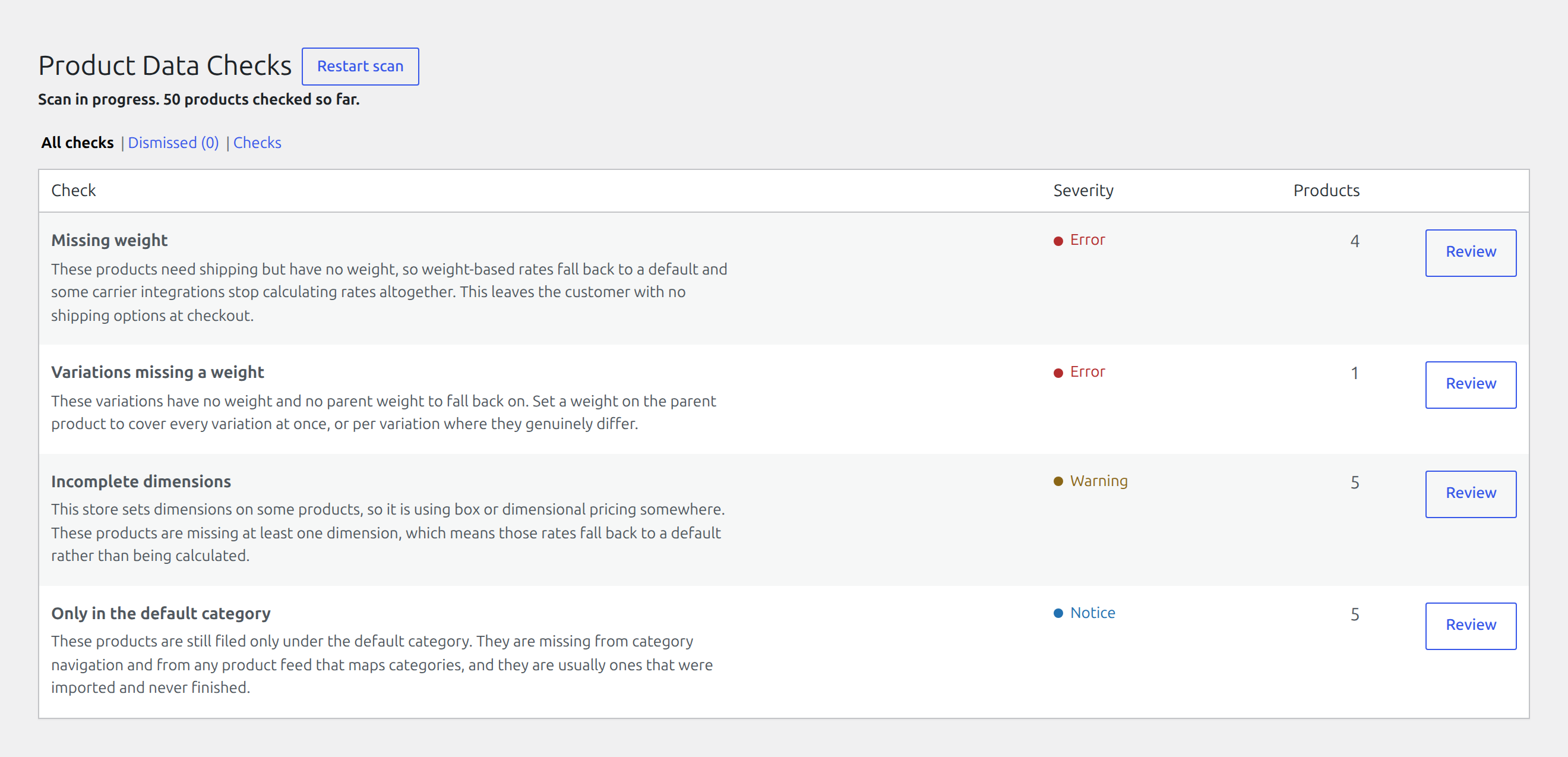
Open WooCommerce → Product Data Checks and press Scan now.
The scan runs in the background in batches, so a large catalogue does not tie up a page load. Reload the screen to see progress. It reports how many products it has checked so far, and the time of the last completed scan.
If a scan appears stuck, Restart scan starts a fresh one.
What a scan looks at
Every published product and variation, except the ones that are never handed to a carrier:
- External and affiliate products, which are bought somewhere else.
- Grouped products, which are containers rather than things.
- Variable parents, whose variations are checked instead.
That last one matters more than it sounds. A variable product’s weight is only a fallback for variations that do not set their own, so the plugin checks the variations and reports the parent only when nothing is inheritable.
What a scan changes
Nothing about your products. A scan only reads.
It does update the findings list: a problem that has been fixed disappears, and a problem that has come back keeps its original First seen date, so it is shown as a regression rather than as a new finding. Dismissals are never undone by a scan. The scan decides whether a fault is still there, not whether you care about it.