
Manage and monitor automation
Pause the Free engine, inspect rules and activity, and organize or move rule definitions.
Reviewed 2026-08-05
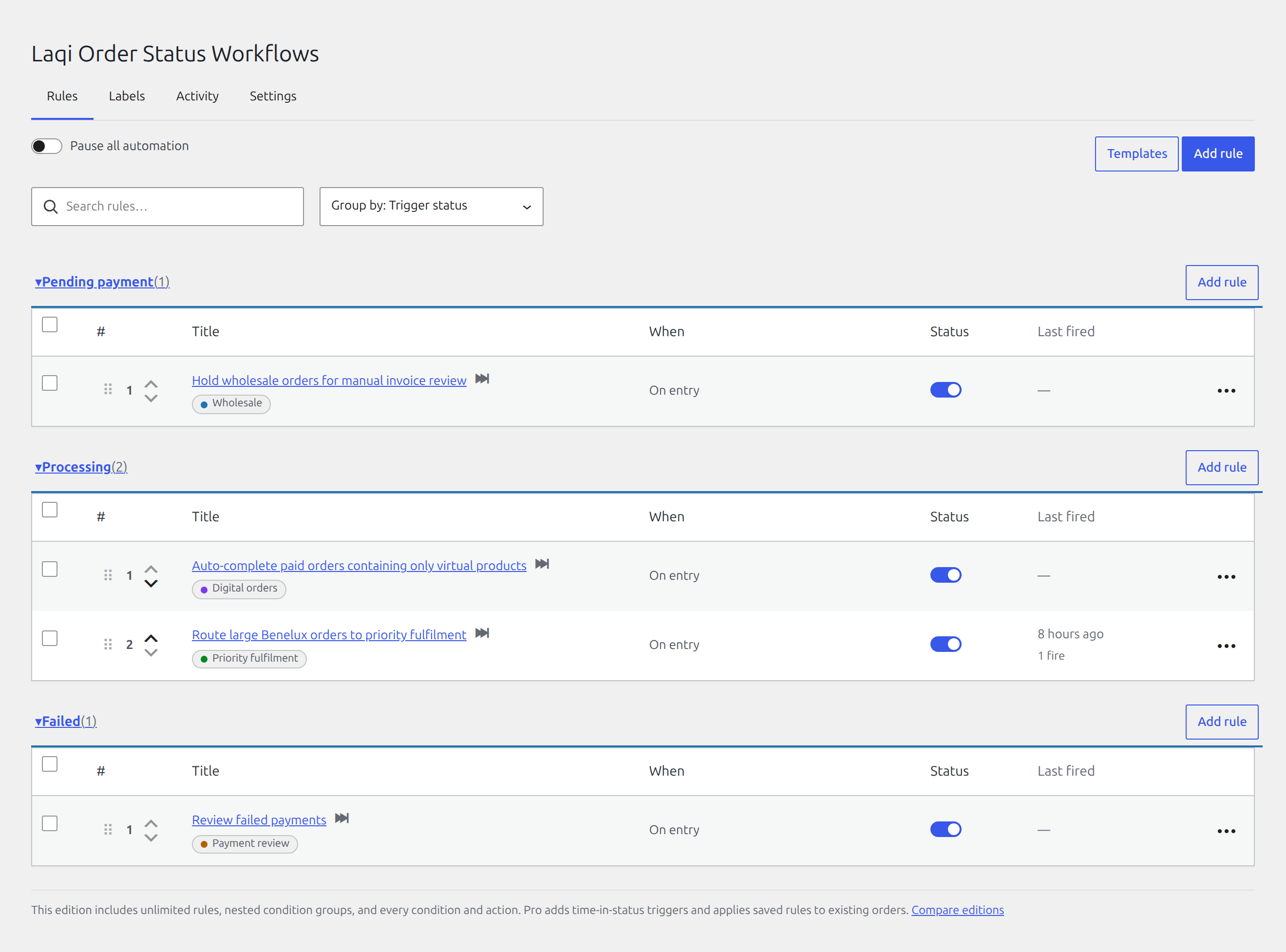
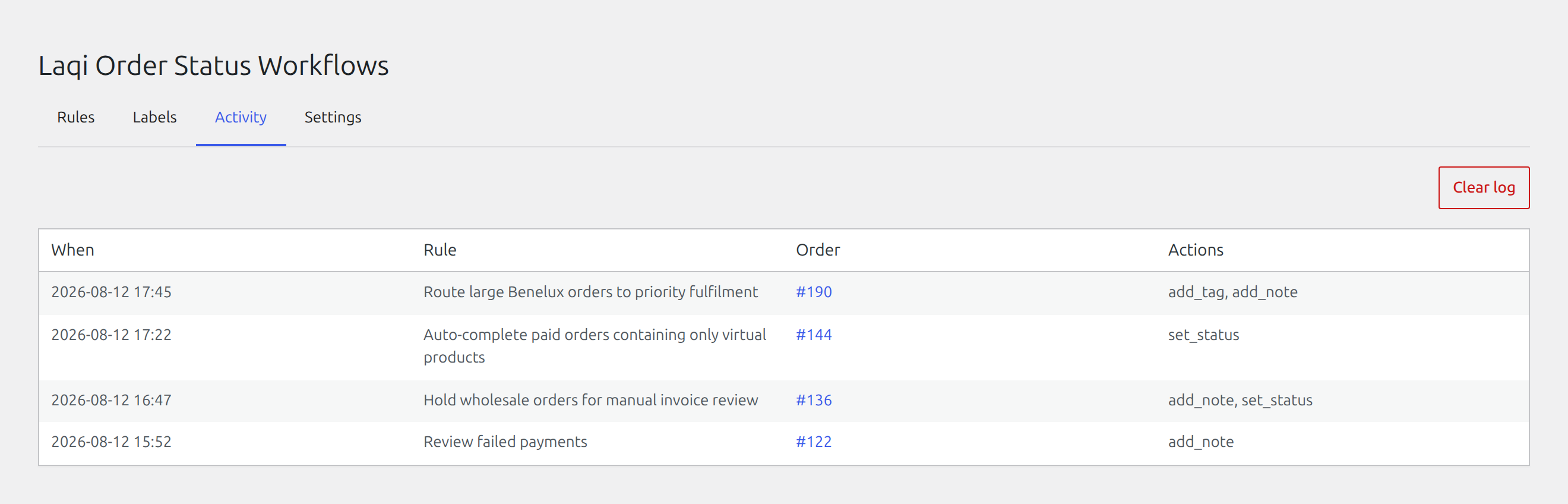
See which rules are enabled, when each one last ran, and how often it has fired.
Pause automation safely
Use Pause automation during migrations, large imports, or troubleshooting. Pausing does not disable or delete individual rules, so the same configuration returns when you resume.
Review activity
The Activity tab lists recent firings with the rule, order, time, and actions. The full-width rules list also shows each rule’s last firing, total count, enabled state, and row controls. Order notes can provide a second operational record when that setting is enabled.
Resolve stale references
A warning appears when a rule points to a deleted product, category, tag, shipping class, coupon, or order status. Edit the rule and replace or remove the missing value. This prevents a rule from silently waiting on a condition that can no longer match.
Duplicate and organize rules
Duplicate a rule before creating a close variant. Labels help group related rules, and the list can be grouped by trigger status, label, or a field used in the conditions.
Move rules between stores
Use Export to download all rules as JSON. Use Import on the destination store to add them after validation. Import is additive and does not overwrite the rules already there.
Review imported store-specific values, such as products and shipping methods, before enabling the rules on production.