Product recipes and material costs
PremiumConsume several ingredient and packaging pools per sold item and review receipt-based material economics.
Reviewed 2026-08-15
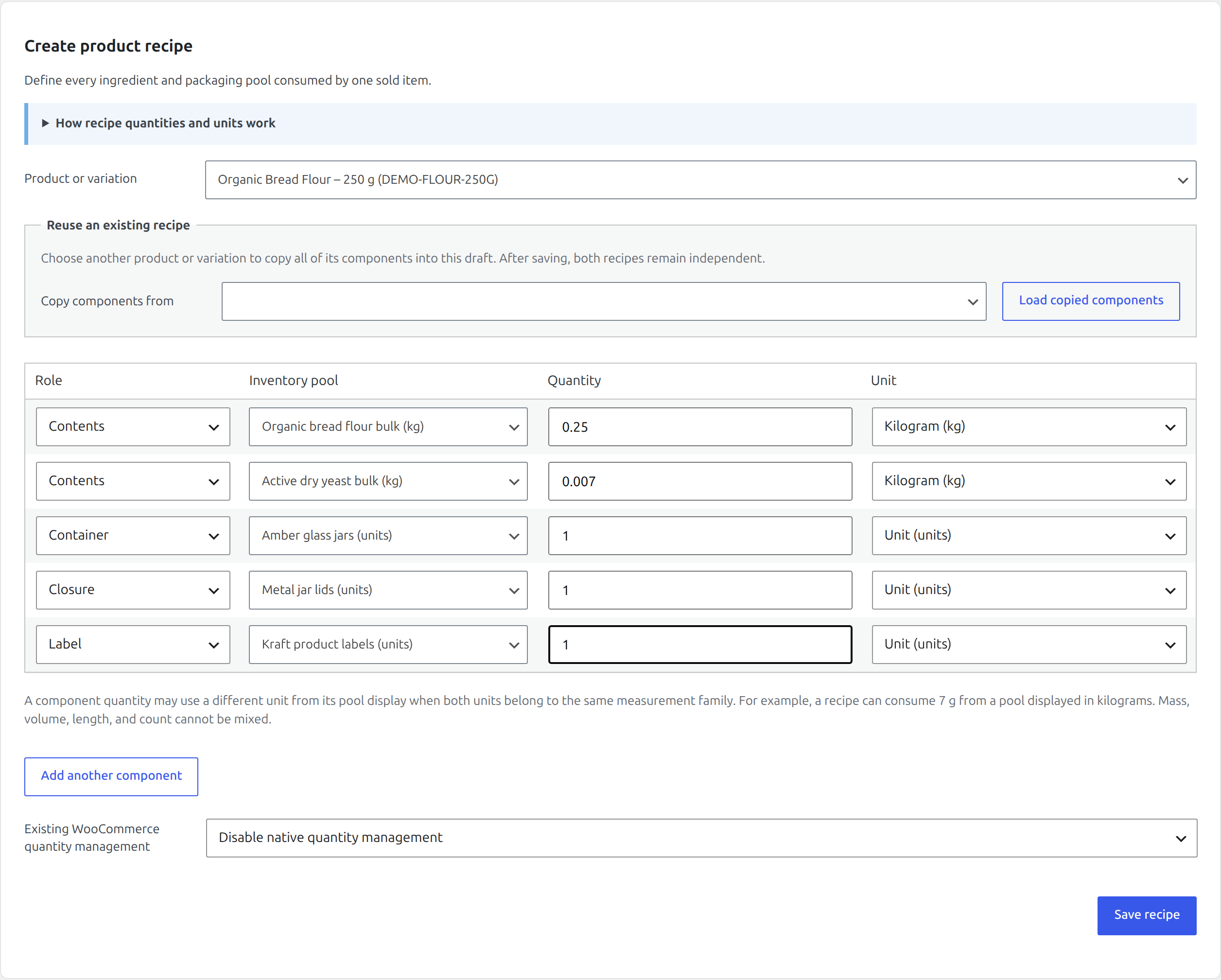
Build a product recipe from ingredient, container, closure, and label pools.
Free single-pool mappings are ideal when one sold item consumes one physical stock pool. A Premium recipe maps one product or variation to several pools.
Create or replace a recipe
Find it in WordPress: Products → Unit Stock → Inventory → Recipes
- Open Recipes and select the product or individual variation.
- Add each component with a role, inventory pool, quantity, and compatible unit.
- Choose whether to disable native WooCommerce quantity management or keep it unchanged.
- Save the recipe.
Available roles are Contents, Container, Closure, Label, and Other packaging. Roles describe the material’s purpose; availability still depends on every component quantity.
Each component unit may differ from its pool display unit when both belong to the
same measurement family. A kilogram ingredient pool can consume 250 g, while a
litre pool can consume 100 ml. Mass, volume, and count cannot be mixed.
For example, one jar may consume 250 g from an ingredient pool, one jar from a container pool, one lid from a closure pool, and one label. Sellable quantity is constrained by whichever required component runs out first. Checkout and order snapshots record the complete component demand.
Saving a recipe replaces the active mapping for that item. Review existing open orders and remember that their stored snapshots remain unchanged. Recipe mappings appear in Free’s Current product links table but must be edited on Recipes.
Reuse a recipe for another variation
When several variations share most ingredients or packaging, start from an existing recipe instead of rebuilding every row:
- Select the variation that needs a recipe under Product or variation.
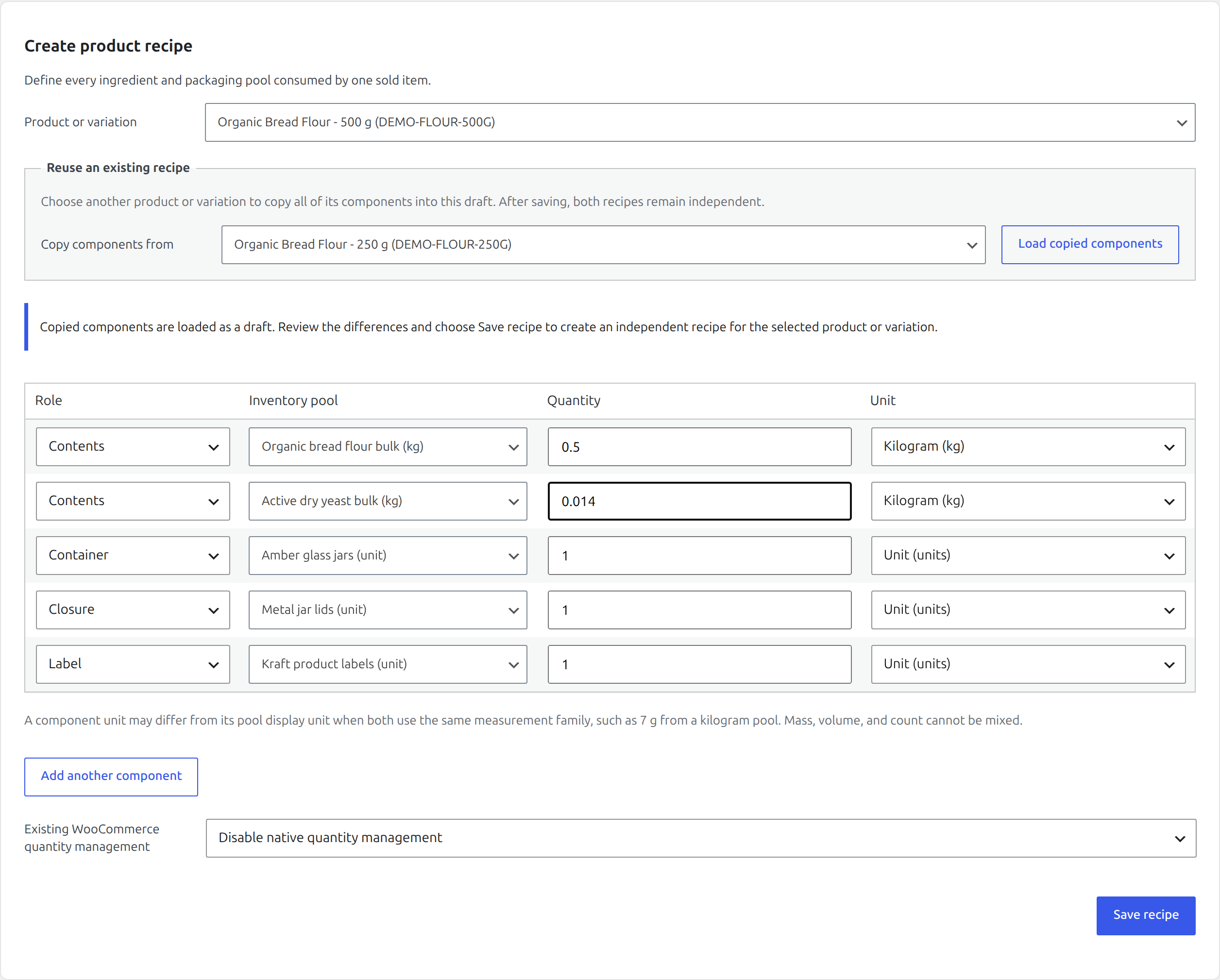
- Under Reuse an existing recipe, choose the product or variation whose recipe is the closest match.
- Choose Load copied components.
- Review every component and change only the pools or quantities that differ.
- Choose Save recipe.
Loading does not save anything. The copied components remain an editable draft until you choose Save recipe. The saved target recipe is independent from its source: editing either recipe later does not alter the other one. This keeps stock deductions explicit and prevents a shared template change from unexpectedly affecting live variations.
Receipt-based material cost
Find it in WordPress: Products → Unit Stock → Planning → Costs
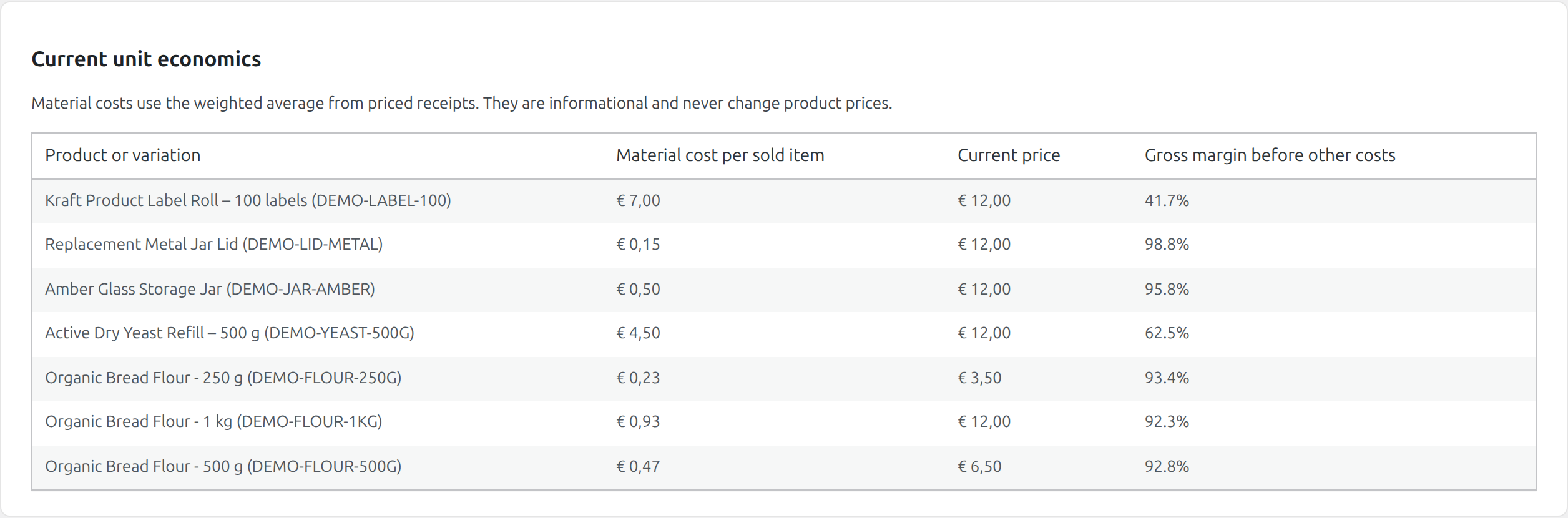
Enter Total material cost when receiving supplier stock. Premium derives material unit cost from priced receipt quantities and uses it to calculate the material cost of active product mappings.
The Costs tab is read-only. For each linked product it shows:
- calculated material cost;
- current WooCommerce product price; and
- estimated material margin percentage.
If no priced receipt exists for a required pool, the row reports No priced receipt yet. Receipt cost is material input, not a complete accounting cost: labour, overhead, tax, shipping, payment fees, waste, and other business costs are not automatically added.
The plugin does not change retail prices. Use the report as operational evidence, then make pricing decisions through WooCommerce’s normal product controls.