Forecast demand, reorder, and purchase stock
PremiumTurn demand, lead time, incoming stock, and safety stock into supplier-pack suggestions and controlled purchase orders.
Reviewed 2026-08-17
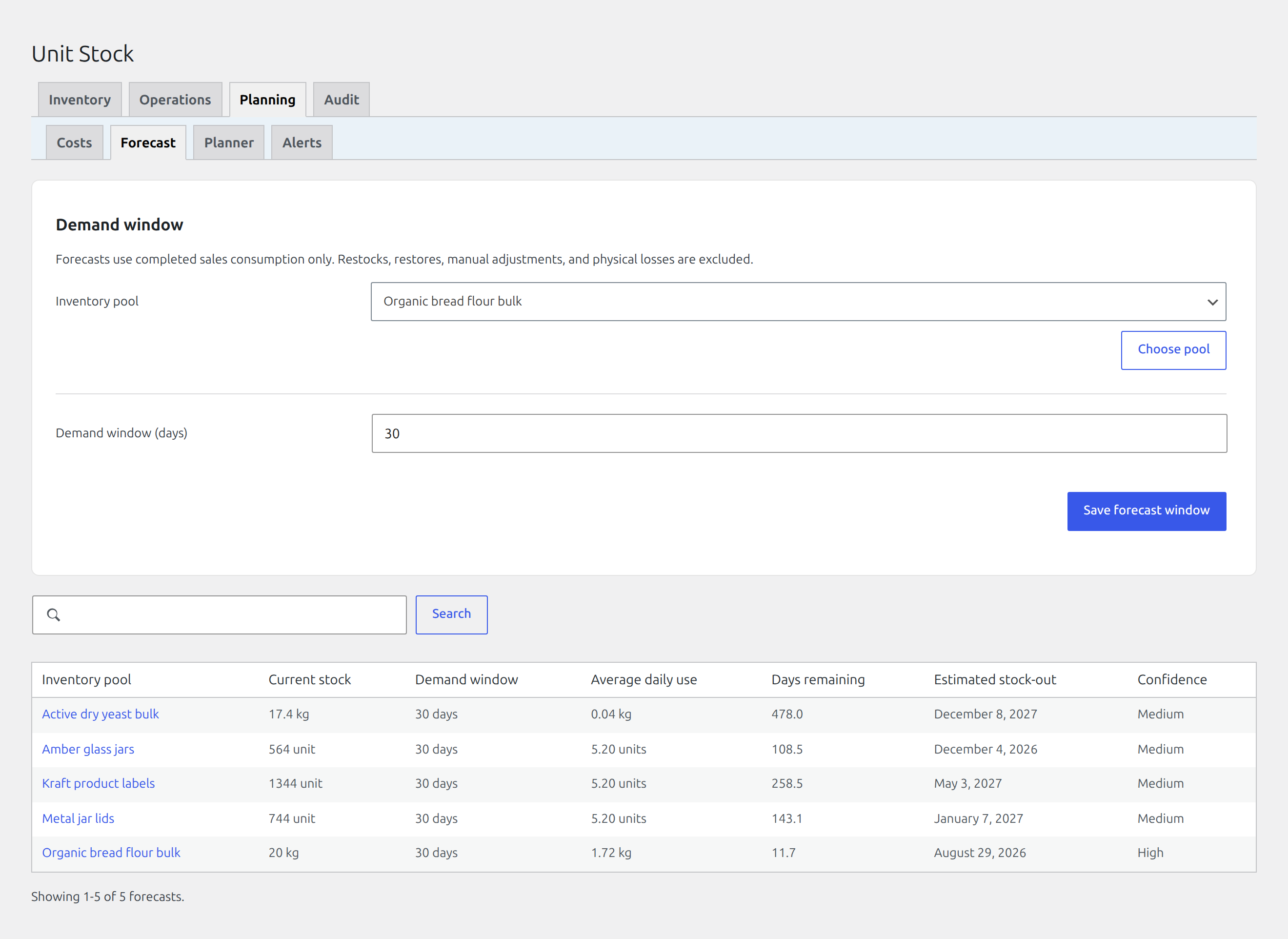
Read each projection from its current stock through daily use, days remaining, stock-out date, and confidence.
Configure a forecast window
Find it in WordPress: Products → Unit Stock → Planning → Forecast
The Forecast tab calculates demand from completed sales consumption only. Restocks, restores, manual adjustments, receiving, and physical losses are excluded so they do not masquerade as customer demand.
Select a pool and choose a demand window from 7 to 365 days. The table shows the pool’s current remaining stock alongside average daily use, days of cover, estimated stock-out date, and confidence. Current stock is the starting quantity used for the days-remaining calculation, so the projection can be checked without leaving the forecast.
A forecast needs at least seven observed days and sales on at least three days. Until then it reports Insufficient data. A valid window with no sales reports No sales demand rather than inventing a stock-out date.
Use a window long enough to represent ordinary demand but short enough to react to a meaningful change. Seasonal businesses should review the result instead of treating a moving average as a promise.
Prepare supplier data
Before configuring Reorder:
- Define a supplier with realistic lead time on Receiving.
- Define at least one supplier pack for the pool.
- Allow enough completed-sales history for a forecast.
- Decide the safety stock which should remain after lead-time demand is covered.
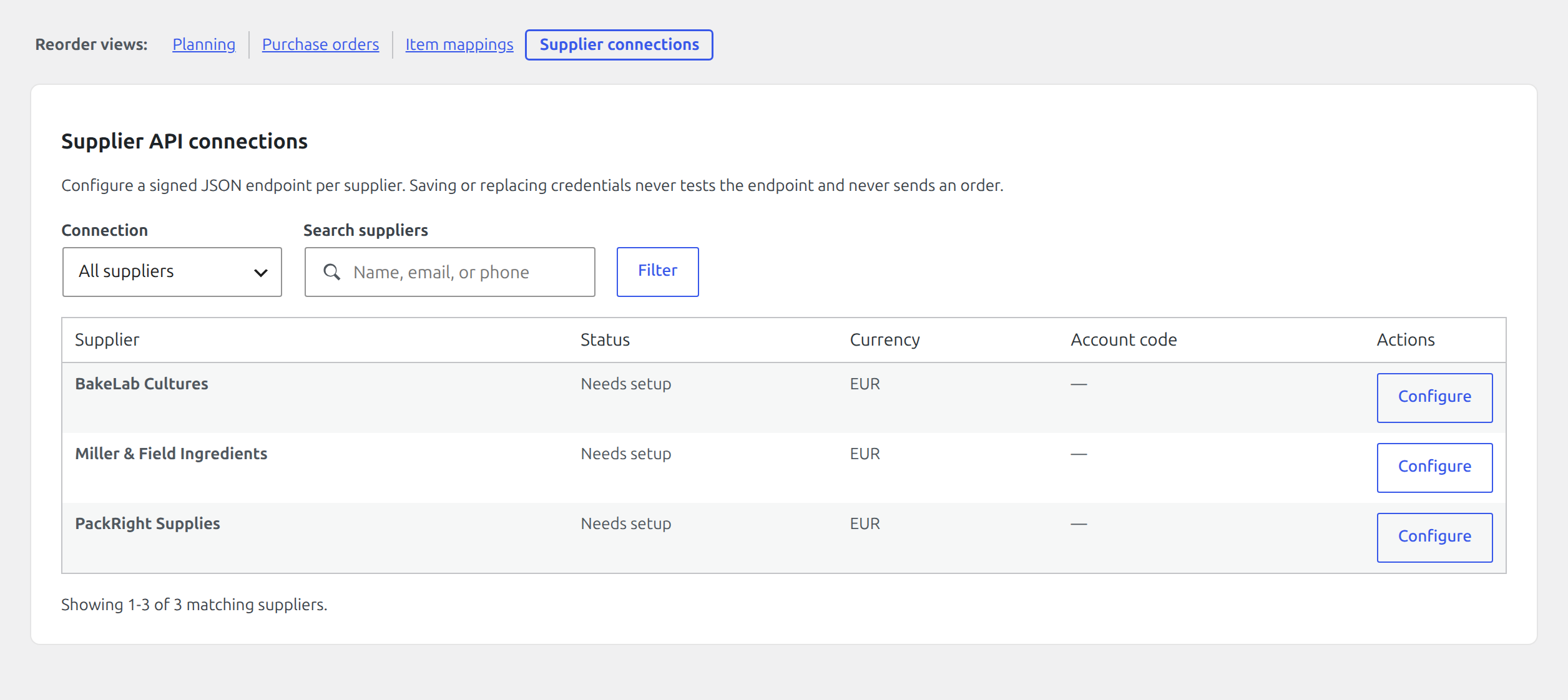
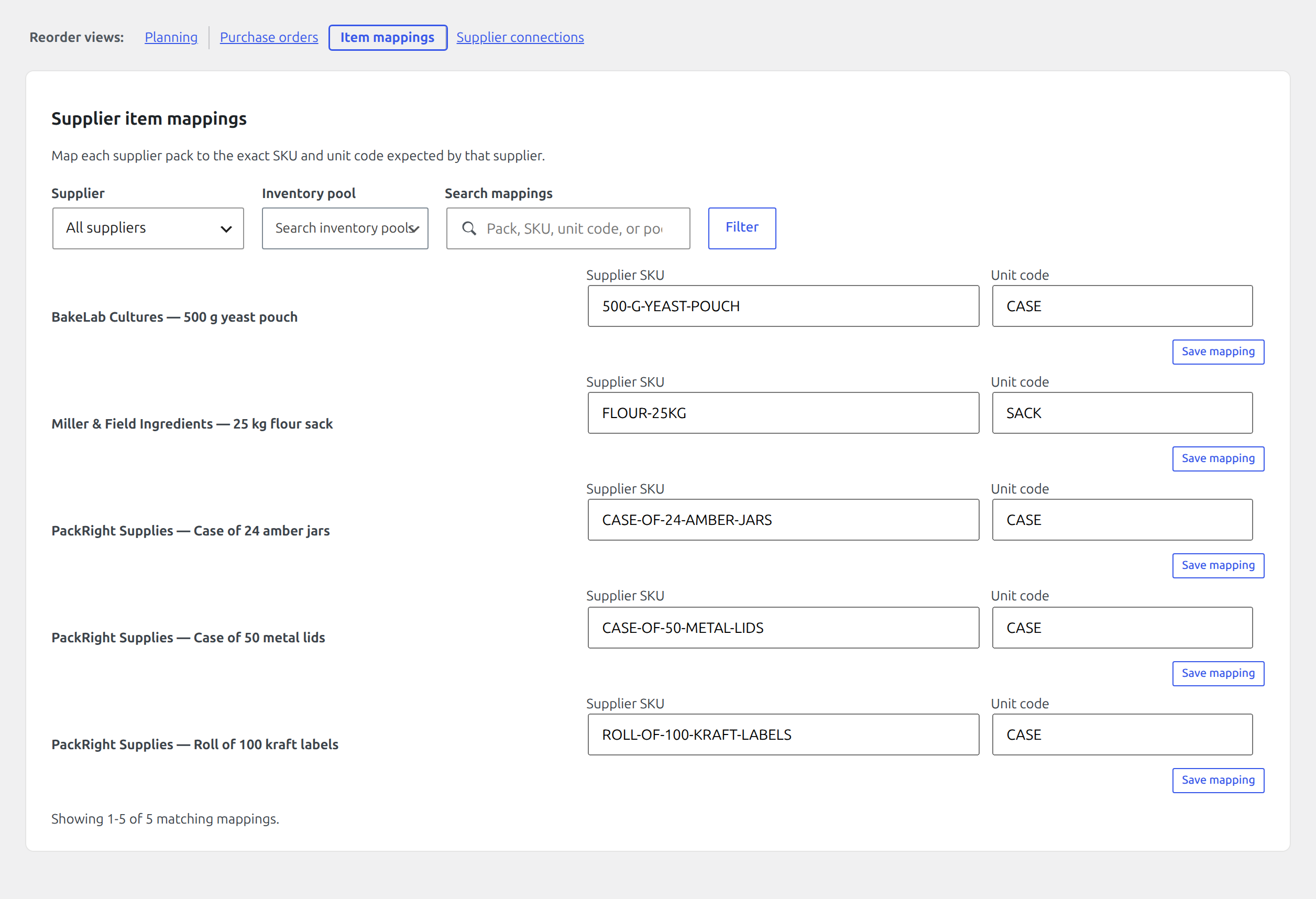
To transmit approved purchase orders, give the preferred pack its supplier SKU and unit code under Item mappings, then configure that supplier’s HTTPS endpoint, account code, currency, and signing secret under Supplier connections.
Save a reorder policy
Find it in WordPress: Products → Unit Stock → Operations → Reorder
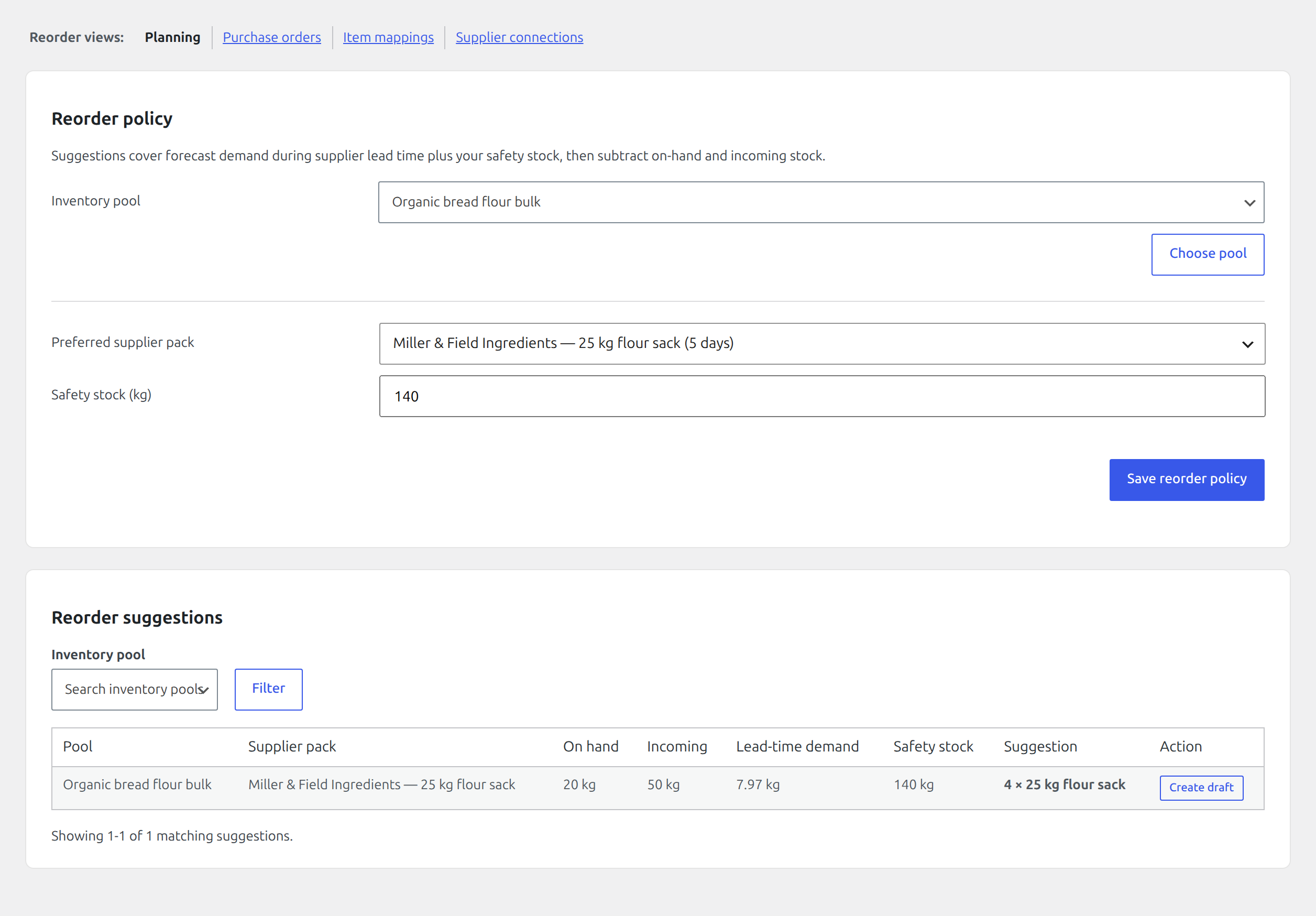
Select the pool, preferred supplier pack, and safety-stock quantity. The suggestion service calculates:
forecast demand during lead time + safety stock − on hand − incoming stock
A positive requirement is rounded up to a whole number of the preferred supplier pack. The table explains the inputs (on hand, incoming, lead-time demand, safety stock) and the resulting pack count.
If demand history is insufficient, the screen says so instead of suggesting a speculative order. Incoming stock is subtracted only while it remains scheduled; after receipt, it becomes on hand.
Create and approve a purchase order
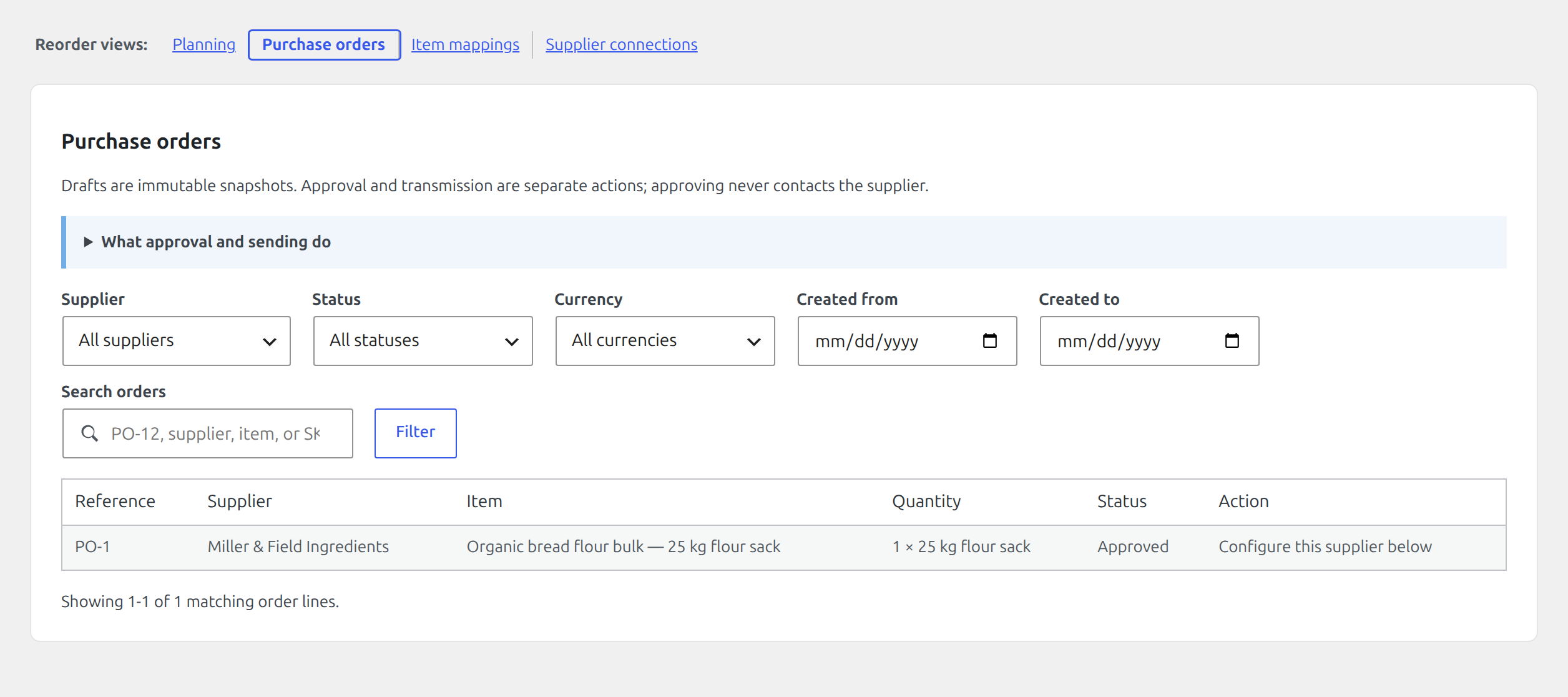
A positive reorder suggestion can create an idempotent purchase-order draft. The draft snapshots the supplier, pool, pack, whole-pack count, quantities, supplier identifiers, and currency used at creation.
- Review the suggestion inputs and select Create draft.
- Review the new purchase-order row and select Approve. Approval does not contact the supplier.
- If the supplier connection and pack identifiers are complete, select the explicit Send now confirmation and then Send order.
The generic connector sends signed JSON over HTTPS and records every attempt. A supplier acknowledgement moves the order to sent. A definite rejection can be reviewed before creating a replacement. An unknown result must be checked with the supplier before retrying so an ambiguous timeout cannot create a duplicate order.
Use suggestions safely
Suggestions alone do not change stock or contact a supplier. Drafting and approval are also non-transmitting steps; only the separately confirmed send action uses the configured connector. Review supplier minimums, current commitments, seasonality, spoilage risk, and exceptional upcoming demand before ordering. Update supplier lead time, pack definition, safety stock, or forecast window when those assumptions change.