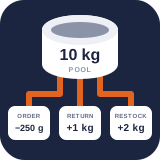
Controls, losses, anomalies, and movement export
PremiumConfigure adjustment approvals, record typed stock loss, review anomalies, and export the movements on screen as CSV.
Reviewed 2026-09-10
Configure named adjustment reasons and approval thresholds.
These three Premium tabs, and one control Pro adds to Free’s Activity ledger, put operational meaning and review around Free’s authoritative stock movements. Pro does not keep a second ledger.
Reasons & approvals
Find it in WordPress: Products → Unit Stock → Audit → Adjustment policy
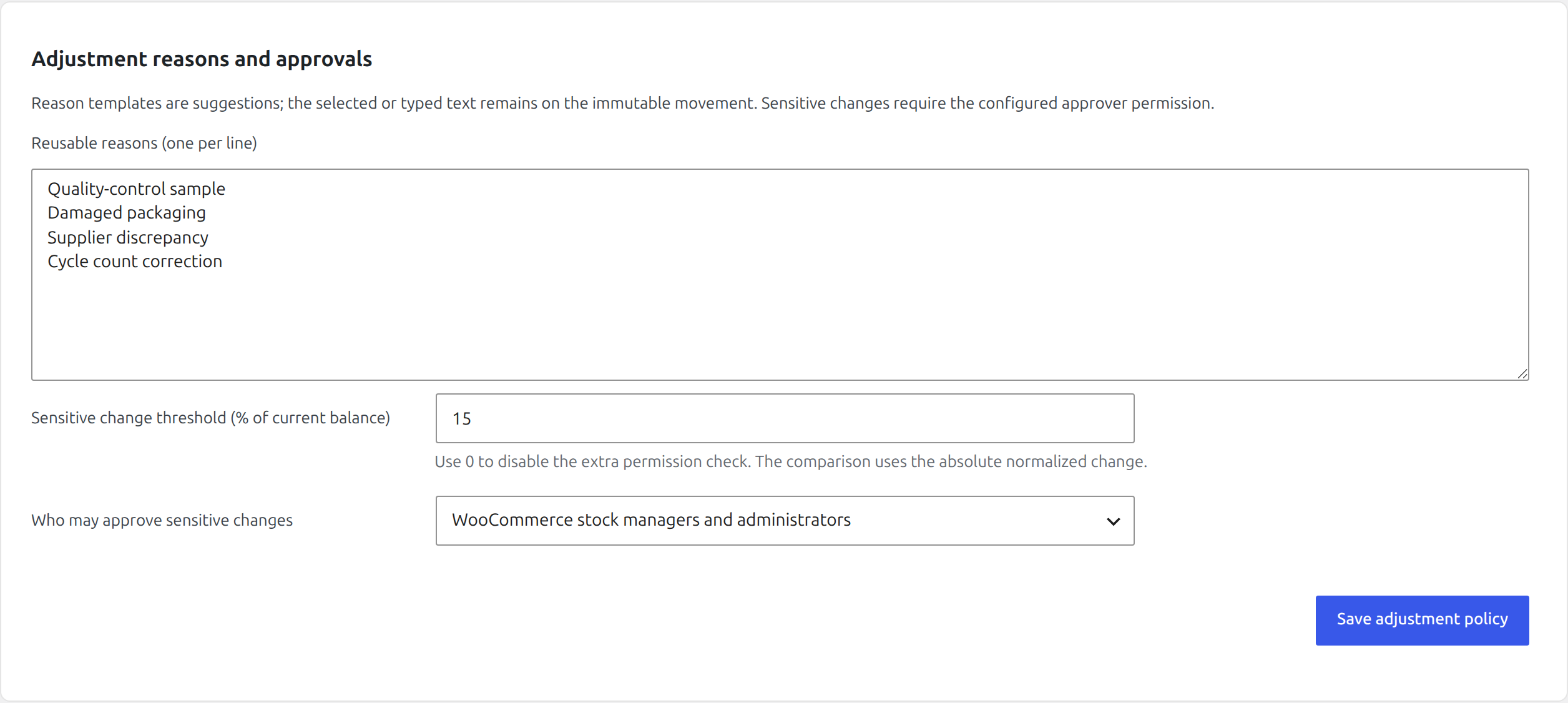
Administrators can configure reusable adjustment reasons, one per line. They appear as suggestions in Free manual adjustments, Premium losses, and mobile counts; staff may still type a more specific explanation, and the final text is stored on the immutable movement.
Set a Sensitive change threshold as a percentage of the pool’s current balance. The comparison uses the absolute normalized change. A user making a change at or above the threshold must have the selected approver capability:
- Administrators (
manage_options), or - WooCommerce stock managers and administrators (
manage_woocommerce).
Use 0 to disable the extra permission check. Only an administrator can change the policy itself.
Record loss
Find it in WordPress: Products → Unit Stock → Operations → Record loss
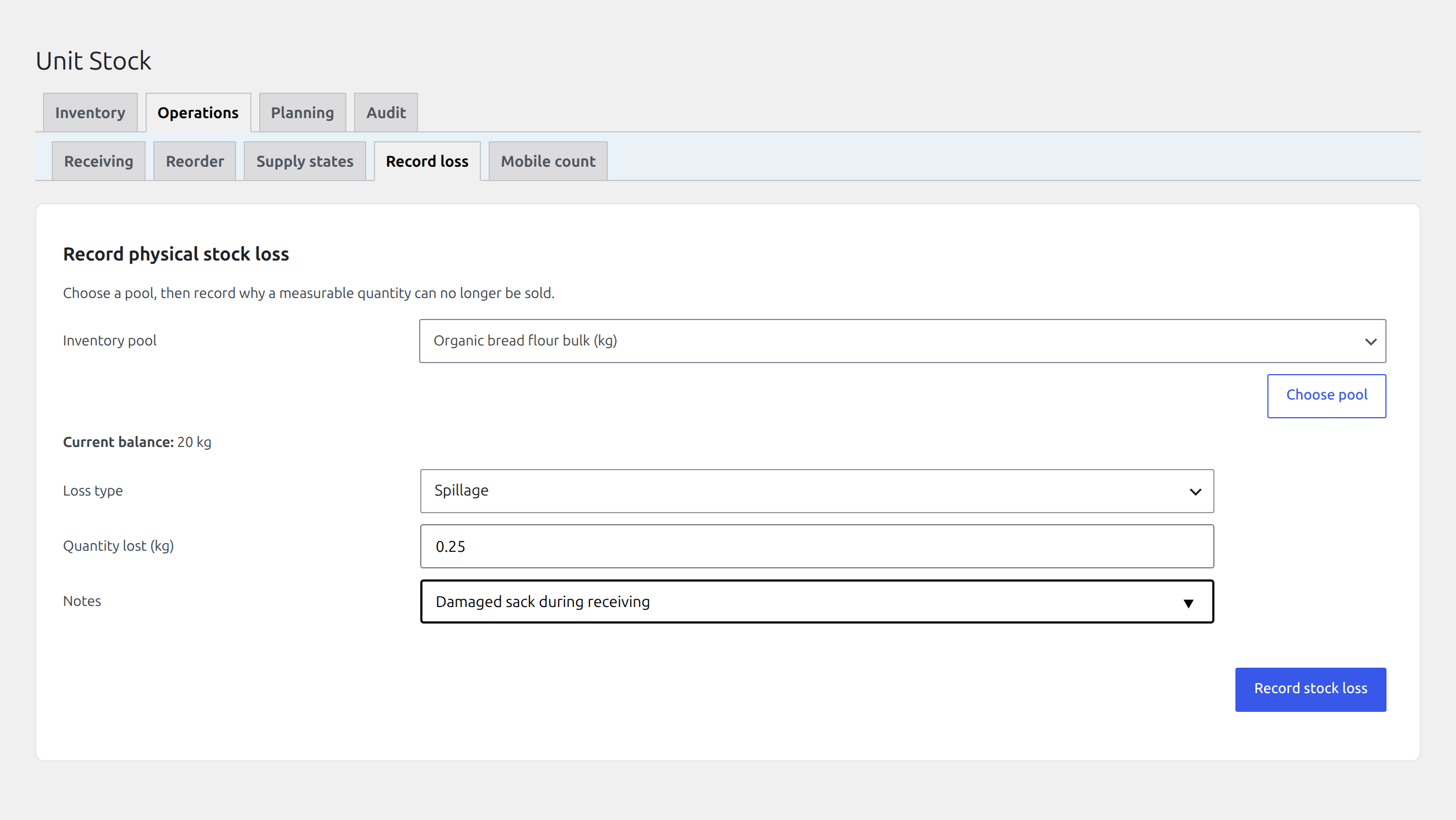
Use Record loss when measurable physical stock can no longer be sold. Choose the pool, confirm its current balance, select the registered loss type, enter the exact quantity and optional notes, then record it.
Built-in typed movements cover spillage, processing loss, evaporation, damage, samples, and expired stock. A loss subtracts stock atomically and remains distinguishable from a generic manual correction. Use batch write-off for loss tied to a received batch so traceability is retained.
Anomalies
Find it in WordPress: Products → Unit Stock → Audit → Anomalies
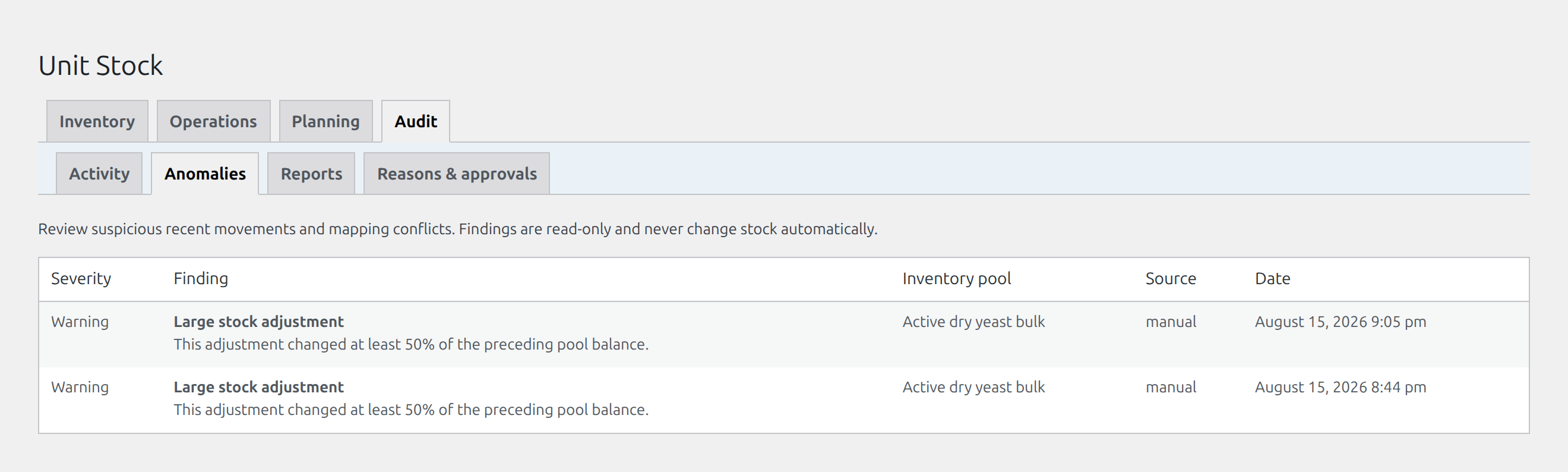
The Anomalies tab inspects recent movements and mapping health for suspicious states. Findings show severity, description, pool, source, and date. They are read-only and never change stock automatically.
Treat a finding as an investigation prompt: compare the source order or actor, mapping diagnostics, nearby ledger entries, and physical stock. Resolve the underlying event or record a separately explained correction.
Movement export
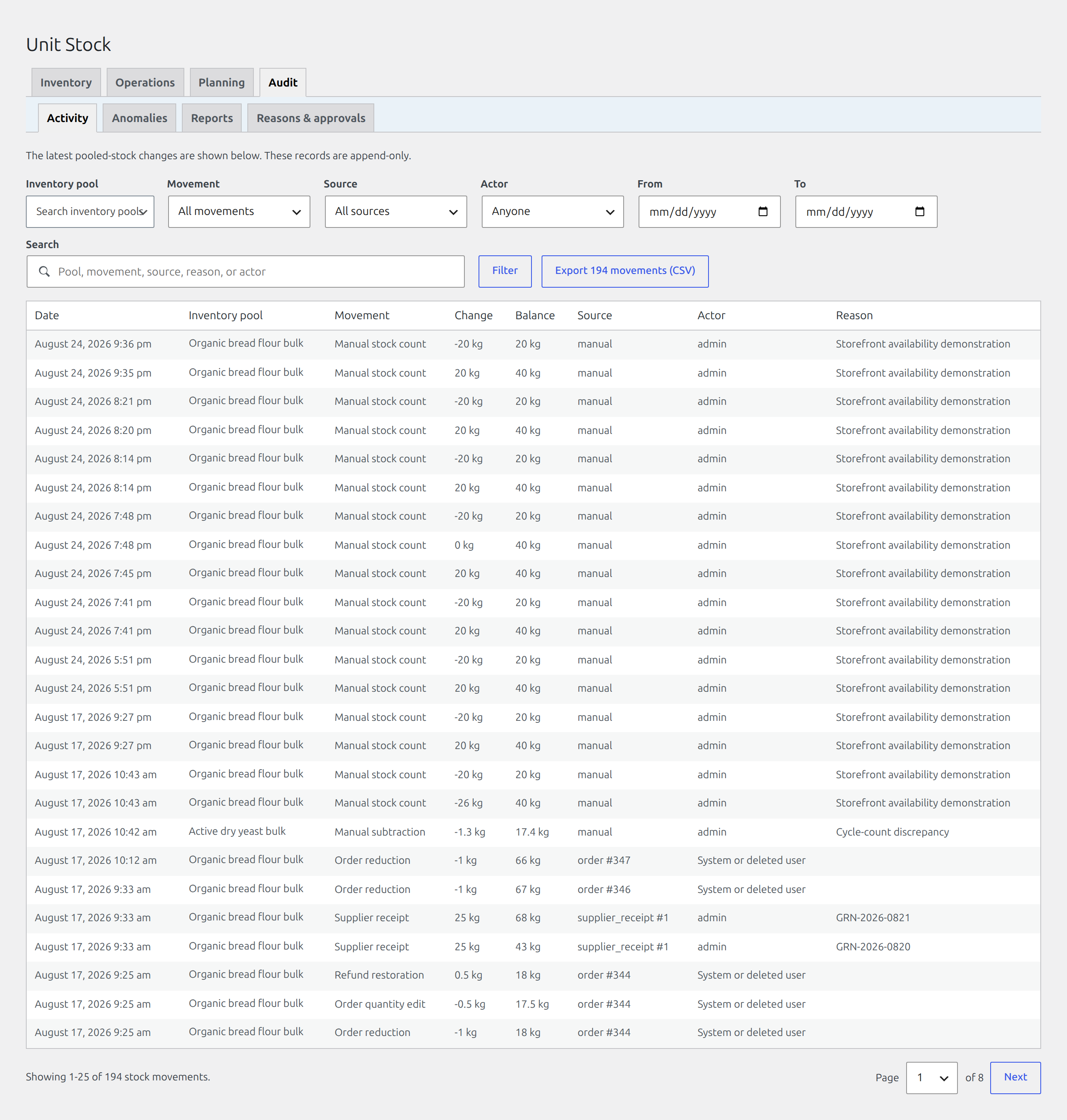
Find it in WordPress: Products → Unit Stock → Audit → Activity
Pro used to carry its own Ledger tab beside Activity. It showed the same movements and was retired in Pro 1.2.0; searching, filtering and the actor column are Free features, and a bookmarked Ledger link now redirects to Activity keeping its filters.
What Pro adds here is a CSV export button beside Free’s filter bar. It exports exactly the movements the current filters match, and the button names the count. It does not export the whole ledger, so the file is evidence for the question you just asked.
The export is generated through an authenticated, nonce-protected admin request and uses spreadsheet-safe values. Keep the original ledger in WordPress as the authoritative record; the CSV is a report, not a round-trip editing format.
For an investigation, narrow Activity to the pool, order number, reason, integration name, or staff member, read signed changes and resulting balances in sequence, then export that view if you need it outside WordPress.