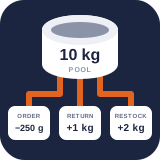
Supply states, safety stock, and alerts
PremiumSeparate on-hand stock from sellable availability and notify staff at warning or critical thresholds.
Reviewed 2026-08-15
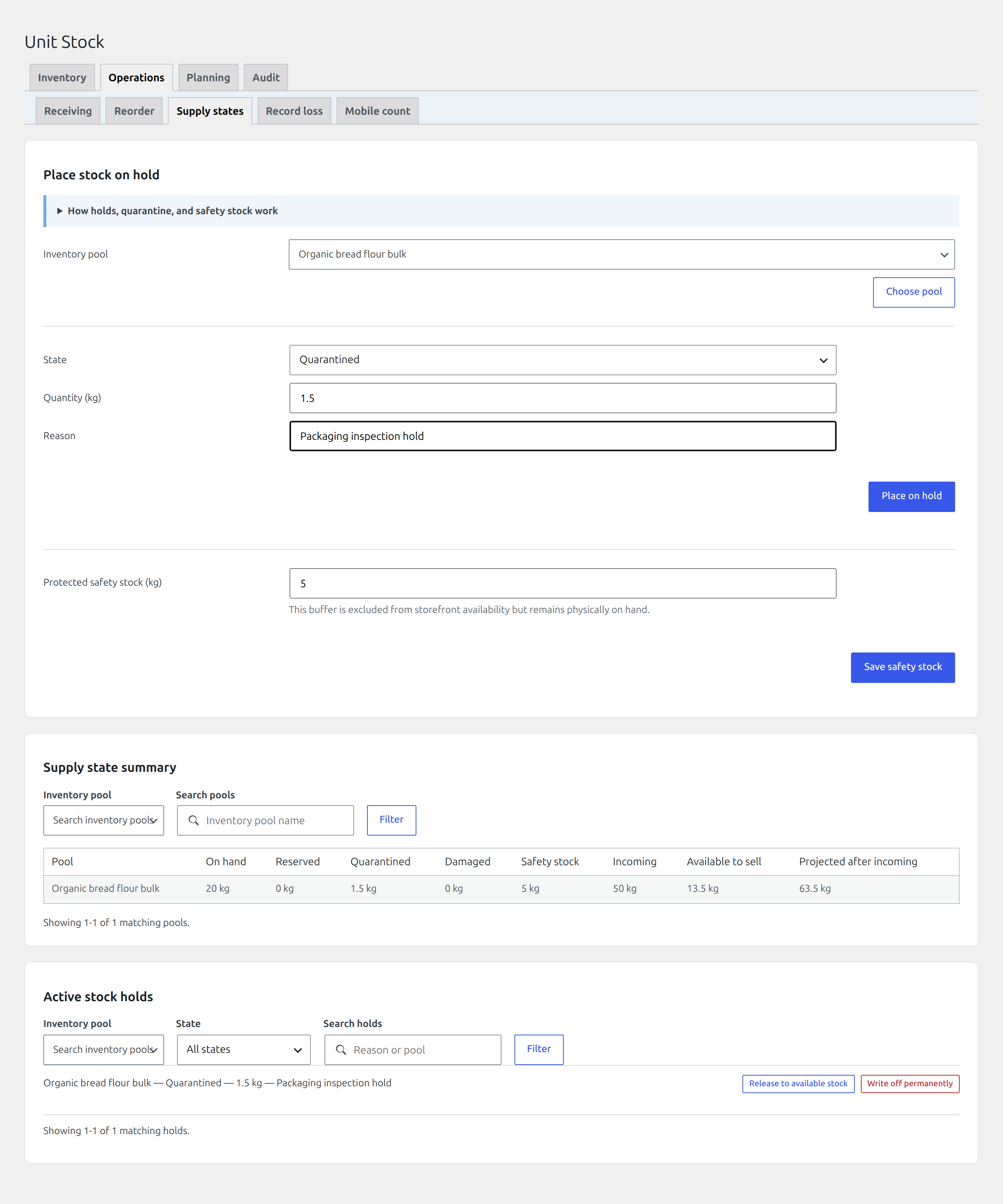
Separate on-hand stock from reserved, quarantined, damaged, and sellable quantities.
Premium distinguishes physical on-hand quantity from stock which may be offered to customers.
Read the supply projection
Find it in WordPress: Products → Unit Stock → Operations → Supply states
The Supply states summary shows, per pool:
- on hand;
- reserved;
- quarantined;
- damaged;
- protected safety stock;
- incoming;
- available to sell; and
- projected quantity after incoming stock.
Available-to-sell quantity excludes protected and unavailable states. Incoming stock affects the projection but not current checkout availability.
Place stock on hold
Choose a pool, state (Quarantined or Damaged), exact quantity, and required reason. The hold remains visible under Active stock holds.
Release a hold when the quantity is fit for sale again. Choose Write off permanently when it has been physically lost; this records the corresponding stock movement. Do not use a hold merely to correct an inaccurate count. Use a stocktake or adjustment.
Protect safety stock
Set a protected quantity for a pool when operations need a buffer which remains physically on hand but must not be sold. This value is excluded from storefront availability.
Safety stock also participates in reorder suggestions. A large buffer can make a product unavailable while the Stock tab still shows a positive on-hand balance, so document why the buffer exists.
Configure low-stock alerts
Find it in WordPress: Products → Unit Stock → Planning → Alerts
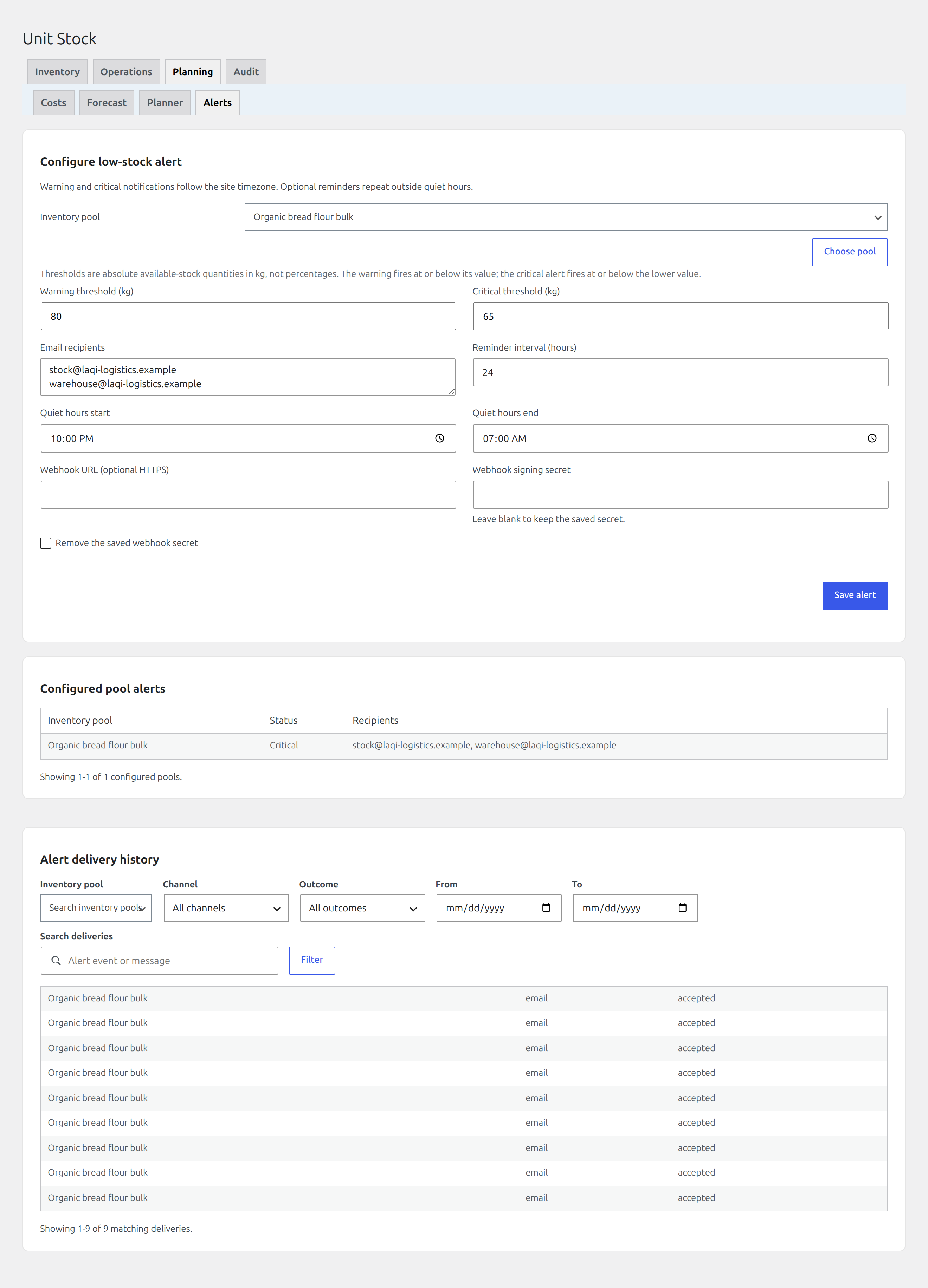
On Alerts, select a pool and configure:
- warning and critical thresholds in the pool’s display unit;
- one or more email recipients, entered one address per line;
- reminder interval in hours (
0disables reminders); - optional quiet-hours start and end using the WordPress site timezone;
- optional HTTPS webhook URL and signing secret.
Warning and critical are separate severities. Configure the critical threshold at or below warning so escalation is understandable.
Delivery behaviour
The evaluator records severity transitions and delivery attempts. Optional reminders repeat only when their interval has elapsed and the current hour is outside quiet hours. Recent email and webhook results are visible under Recent alert deliveries.
Webhook deliveries are signed with the configured secret. Verify the signature in the receiving system, use HTTPS, return a successful HTTP response promptly, and never place the signing secret in screenshots or support messages.