
Dismiss findings and scope checks
Turn off what does not apply to your store, and stop being told about products you have already judged.
Reviewed 2026-09-11
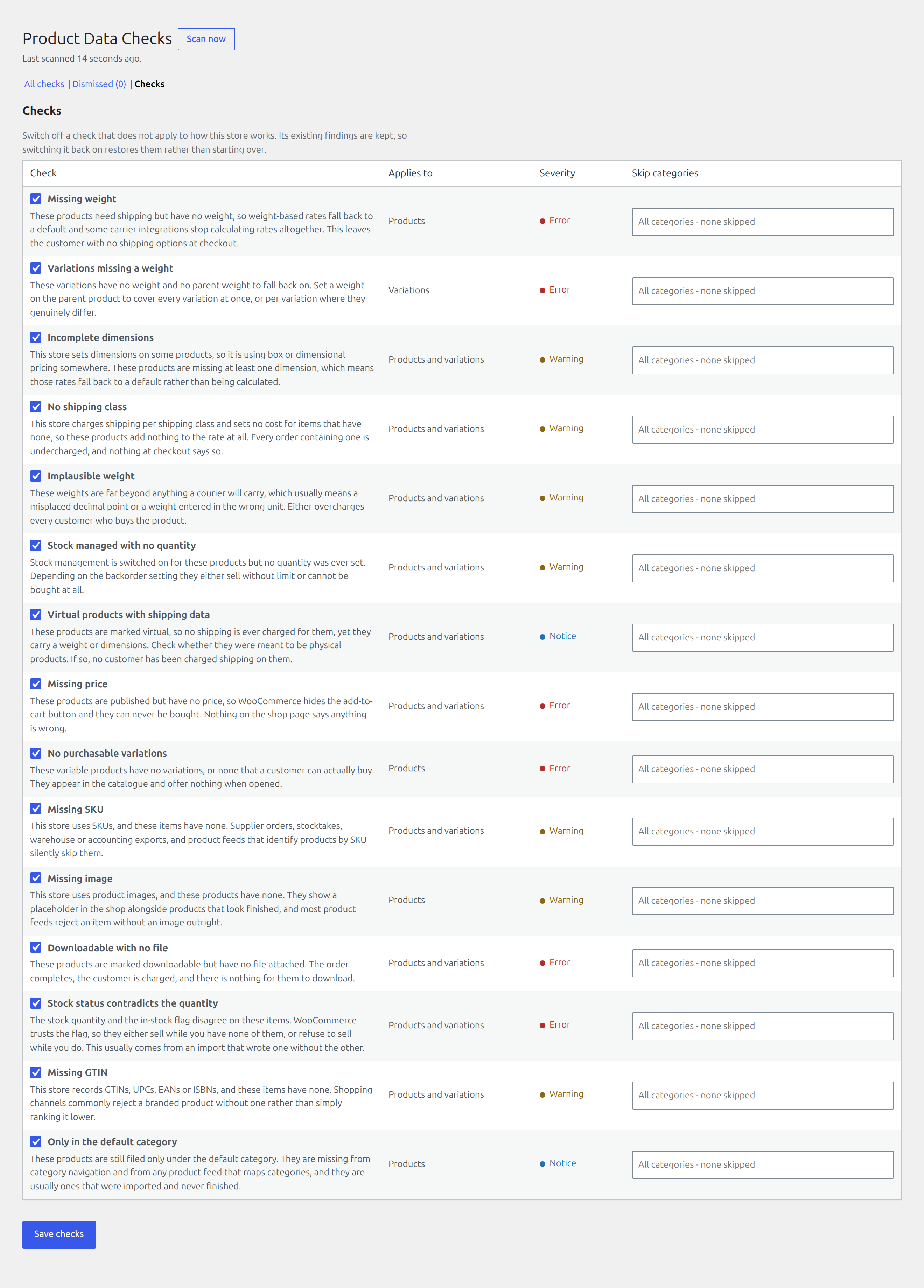
A findings list you cannot quiet is one you stop reading. There are two ways to quiet it, and they mean different things.
Dismiss one finding
Dismiss says: this product, for this check, is not a problem.
A dismissed finding stops being reported, and a later scan never undoes it. That is deliberate. The scan decides whether the fault is still present, not whether you care about it. A product you have deliberately given no weight because you collect it in person stays dismissed.
Dismissals are listed under Dismissed, so nothing is hidden permanently without a way back.
Switch a check off
Under Checks, each of the fifteen can be switched off entirely. Use this when the check does not fit how your store works at all, rather than dismissing the same finding a hundred times.
Existing findings are kept when you switch a check off. Switching it back on restores them rather than starting over, so turning something off to get through a busy week costs nothing.
Scope a check to part of the catalogue
A check can also be narrowed so it ignores chosen product categories. This is the middle ground between “on for everything” and “off”: a store selling both physical goods and services can require weights on the former without being told about the latter.
Every check states whether it looks at products, variations, or both, so you always know which screen a finding will send you to.