Schedule scans and get a digest
PremiumScan on a schedule and be emailed only what is new, so a clean catalogue sends you nothing.
Reviewed 2026-09-10
Requires the Laqi Product Data Checks Pro add-on.
Catalogues decay continuously. Staff add products, importers run nightly, suppliers change feeds, new variations appear inheriting nothing. A scan you have to remember to run is a scan that stops happening.
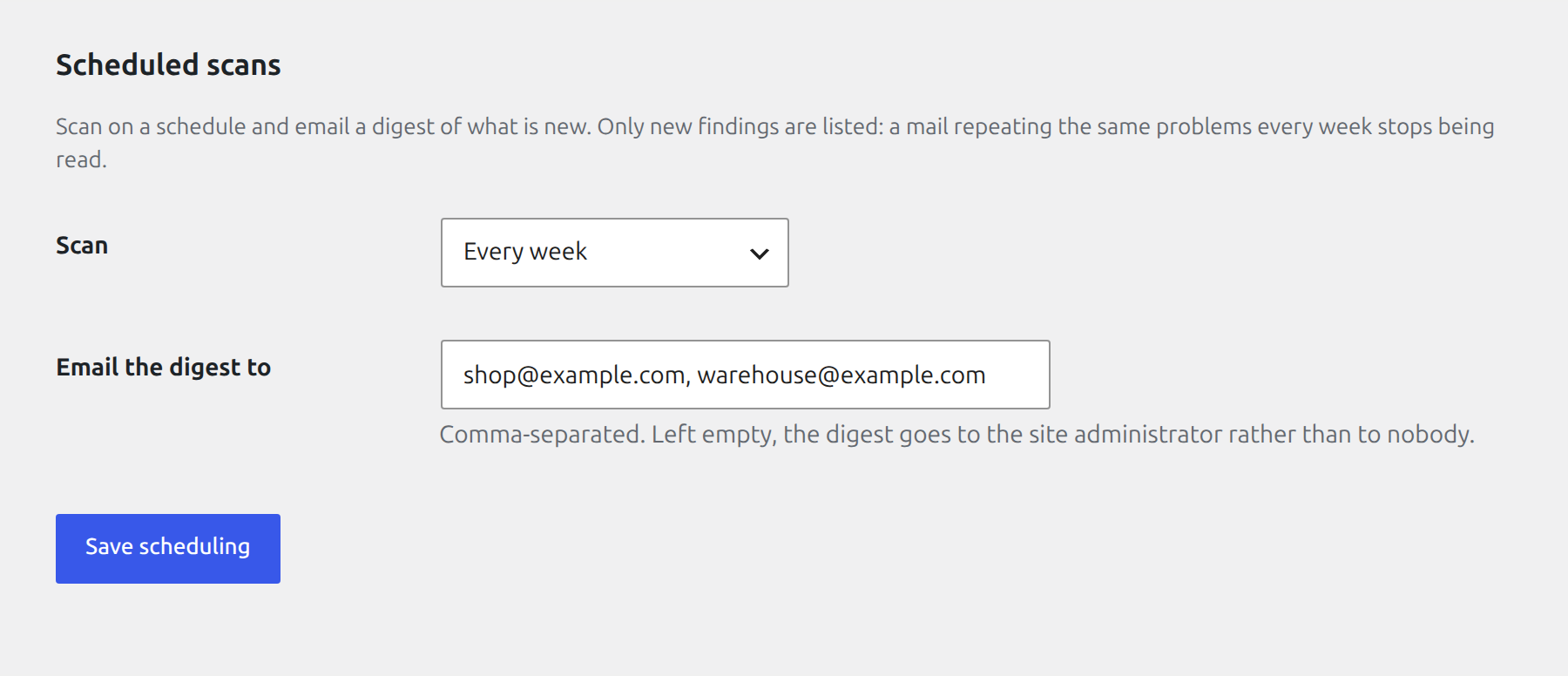
Below the checks form, Pro adds a frequency and a list of digest recipients.
Frequency
Scan daily or weekly, in the background. Off by default.
The digest reports only what is new
You are emailed the findings that appeared since the last digest, not the whole list. A mail that repeats the same forty problems every week stops being read, and then the one new problem in week six is missed.
Nothing is sent when nothing changed. A quiet inbox means a clean catalogue, which is the only way the mail stays meaningful.
Recipients
Enter one or more addresses. It mails nobody until you say so. Installing Pro never starts sending mail on its own.
If the licence lapses
Scheduling stops and anything already booked is unbooked, so the store is not left with a recurring job that fires into nothing. Your configured frequency and recipients are kept, so renewing restores what you set rather than making you set it up again.