
Conditions reference
Choose the right order, customer, item, or custom-meta condition and combine it safely.
Reviewed 2026-08-05
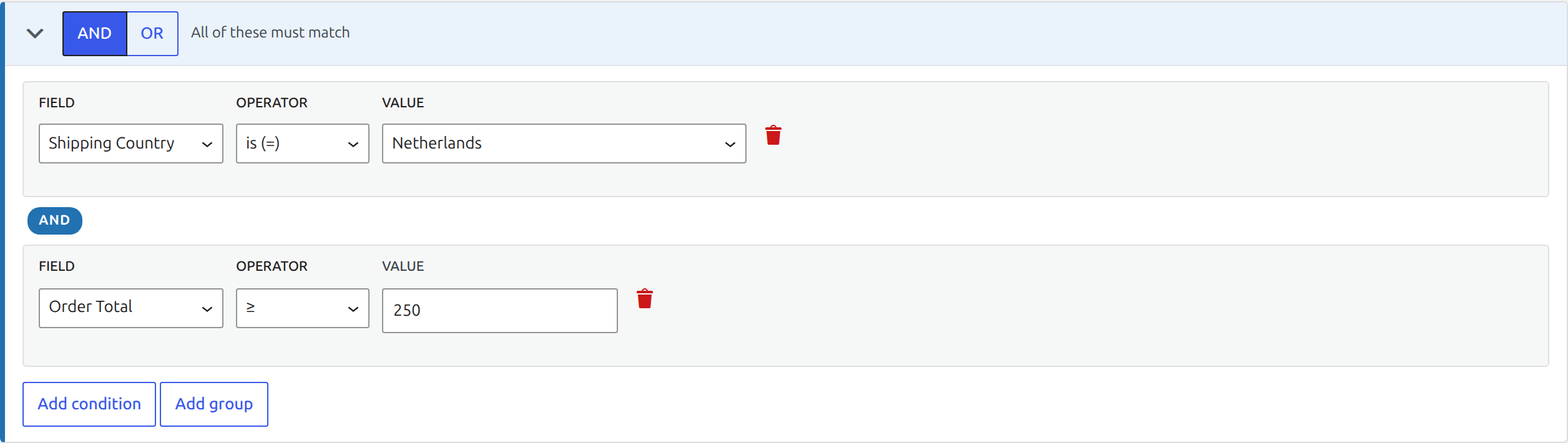
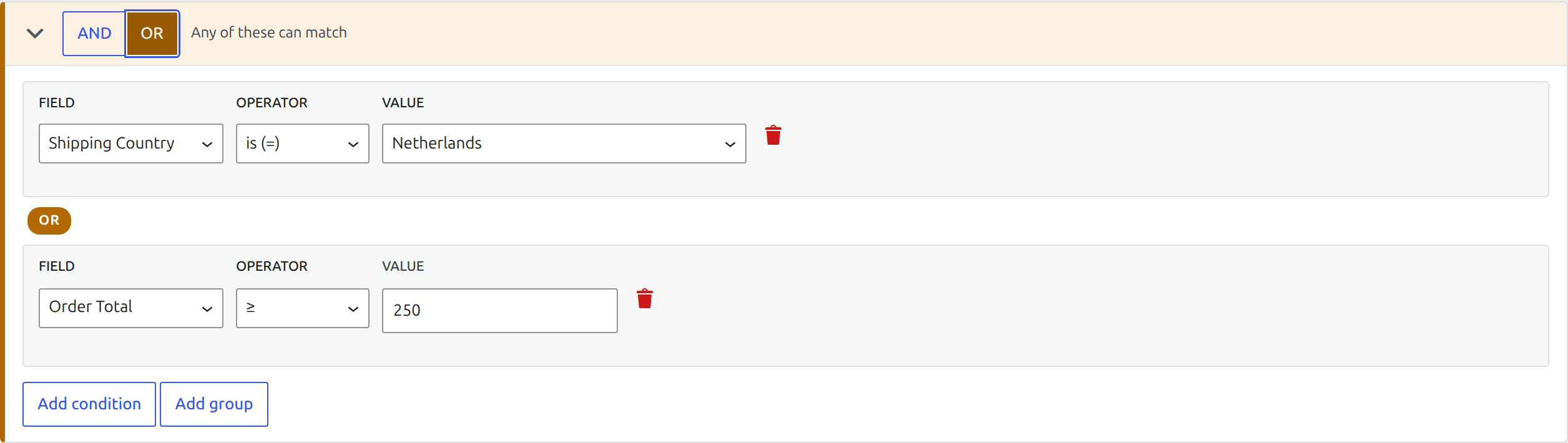
Require every condition in an AND group to match.
Order and customer conditions
Rules can inspect shipping and billing country, state, and postcode; shipping and payment method; order total; item count; currency; customer type and role; lifetime order count and spend; customer notes; and coupons.
Use numeric operators such as at least or less than for totals and counts. Text fields support exact, list, partial, and empty checks where appropriate.
Item conditions
Item conditions can match a product, category, tag, shipping class, product attribute, or whether an item is virtual or downloadable.
Choose the item quantifier carefully:
- Any: at least one order item must match.
- All: every order item must match.
- None: no order item may match.
For example, use all items · are virtual before automatically completing an order that must contain only virtual products.
AND and OR groups
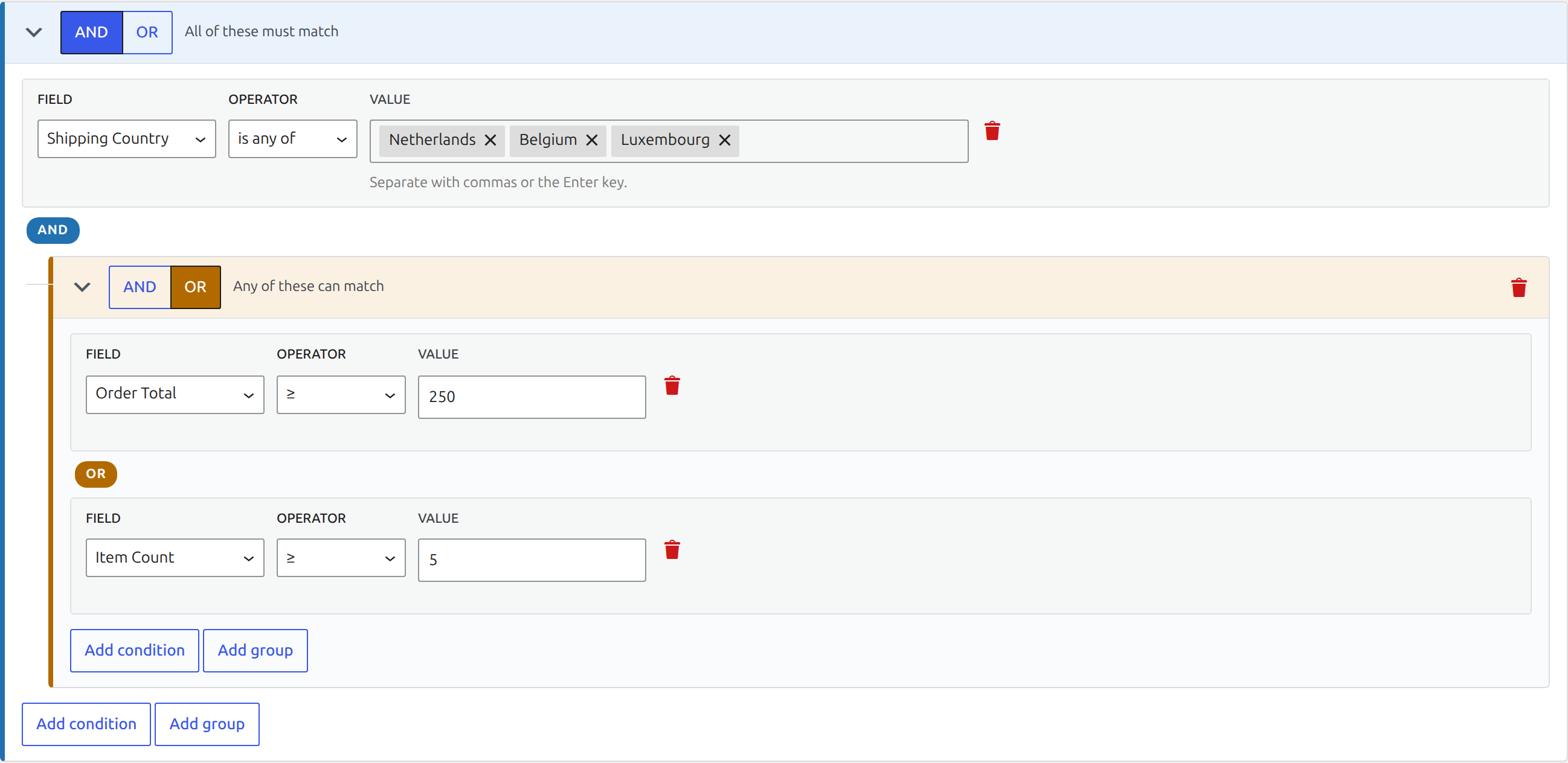
Use AND when every child must match. Use OR when any child may match. Nested groups let you express logic such as: shipping to the EU AND (paid by bank transfer OR above a value threshold).
Read the plain-language summary after every structural change. It is the quickest way to catch an OR group placed at the wrong level.
Custom order meta
Custom order meta is the escape hatch for data added by another extension. Enter its exact meta key and compare it with the expected value.
Confirm the key and stored format with the extension that owns the data. Avoid using custom meta when a named condition already exists, because named fields provide safer inputs and clearer summaries.